BMW Gesture Control
Principle
BMW Gesture Control enables some iDrive func‐
tions to be operated simply by moving your
hands.
Overview
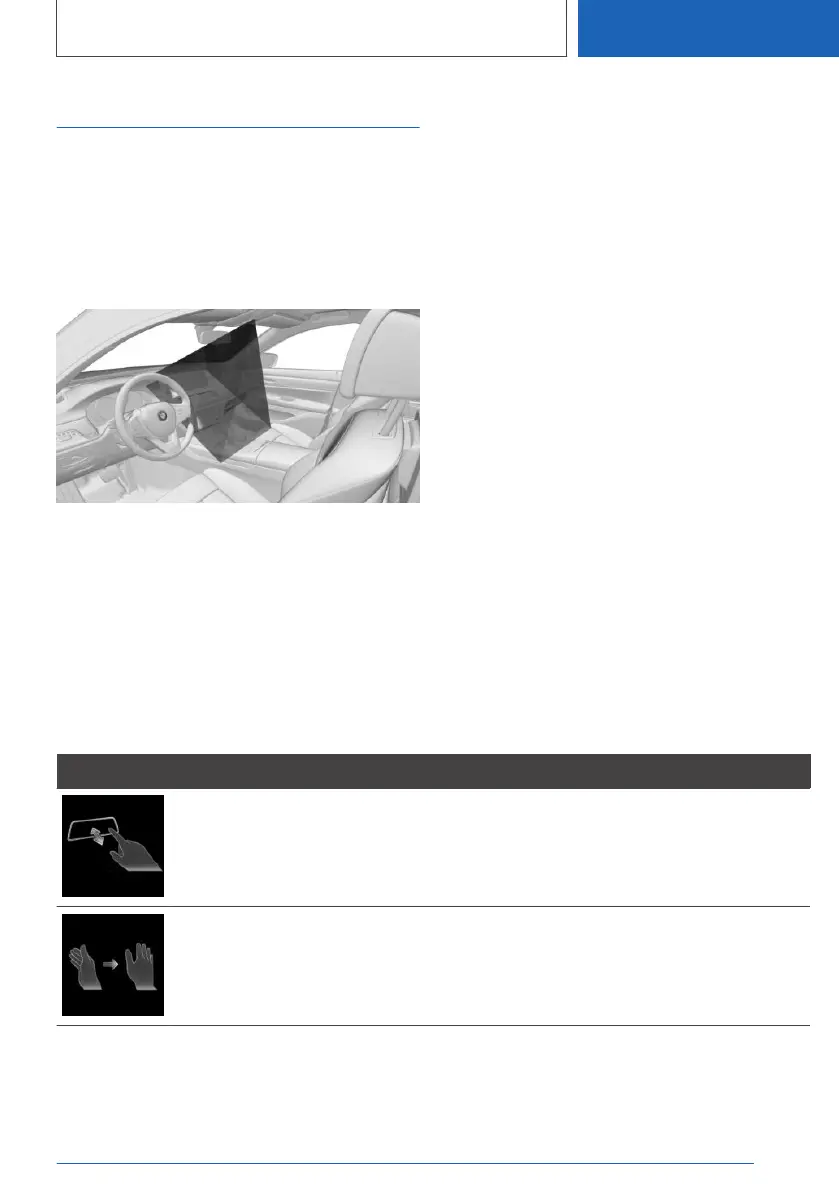
The camera in the roof lining detects gestures
made in the area of the centre console at the
height of the Control Display.
Activating/deactivating
1.
"CAR"
2. "Settings"
3. "General settings"
4. "Gesture control"
5. "Gesture control"
Settings
1. "CAR"
2. "Settings"
3. "General settings"
4. "Gesture control"
5. Select the desired setting.
Performing gestures
▷ Perform the gestures under the interior mirror
and to the side of the steering wheel.
▷ Perform the gestures clearly.
▷ The gestures can also be performed by the
front passenger.
Possible gestures
Gesture Operation Function
Move your index finger forward in the direction of
the screen and back again.
Accept phone call.
Select highlighted entry of a list
during voice control.
Confirm the pop-up.
Move your hand across the width of the Control
Display in the direction of the front-passenger side.
Reject phone call.
Close the pop-up.
End voice control.
Seite 69
iDrive
CONTROLS
69
Online Edition for Part no. 01405A1EA53 - X/20



 To Next Page