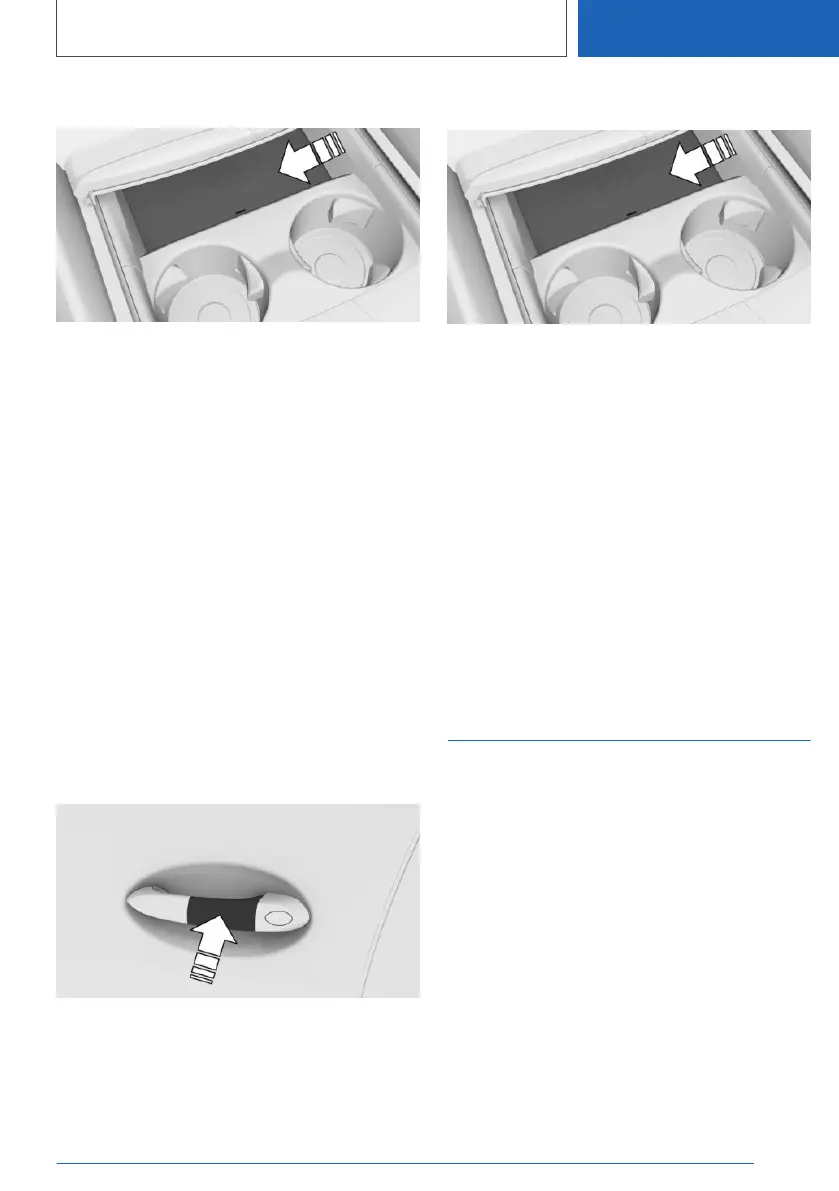
Activating the Key Card
1. Open the cover of the smartphone dock.
2. Place the Key Card in the middle of the
smartphone tray.
3. Follow the instructions on the control display
to activate the Key Card.
Deactivating the Key Card
1.
"CAR"
2. "Settings"
3. "Doors/ vehicle access"
4. "Digital Key"
5. Select Key Card.
6. "Key active."
A deactivated Key Card will remain in the list of
registered digital keys.
Unlocking and locking the
vehicle
Hold the activated Key Card directly and centrally
up against the outside door handle on the driv‐
er's door.
Starting the engine
1. Open the cover of the smartphone dock.
2. Place the activated Key Card in the middle of
the smartphone tray.
3. Press the Start/Stop button to start the en‐
gine.
With wireless charging tray: The Key Card can
be taken out of the tray after starting the engine
so that the tray can be used to charge compati‐
ble smartphones.
Malfunction
Objects between the sensors and the Key Card,
for example a purse or wallet, may prevent the
vehicle from detecting the Key Card.
BMW Digital Key
Principle
BMW Digital Key allows you to use a compatible
smartphone to lock, unlock and start the vehicle.
General
BMW Digital Key is available with Comfort Ac‐
cess and Steptronic transmission. Depending on
the national-market version, BMW Digital Key
may not be available.
BMW Digital Key can be used with a compatible
smartphone or another compatible mobile end
device, for example a smartwatch.
To unlock and start a vehicle with a compatible
smartphone, this function must be offered by the
Seite 99
Opening and closing
CONTROLS
99
Online Edition for Part no. 01405A1EA53 - X/20



 To Next Page