iDrive
16
5 Help
> Displaying short help texts
*
19
> Menu name for menu change
*
17
6 Entertainment
> Radio 162
> CD player
*
173
> CD changer
*
175
> MD player
*
179
> External audio device 181
> Television TV
*
182
> DVD changer
*
185
7 Settings
> Parking brake 56
> Park Distance Control PDC 84
> Electronic Damping Control EDC 87
> Programmable buttons 50
> Run Flat Indicator RPA 87
> Date and time 81
> Language 81
> Units of measurement and form of
expression 81
> Brightness 82
> Rear screen
*
19
> Logging mobile phone onto the
vehicle 198
8 Climate
> Intensity of the AUTO program 98, 102
> Air volume 100, 104
> Heated seats
*
47
> Independent ventilation control/auxiliary
heater
*
108
> Extra, e.g. rear air conditioning 107
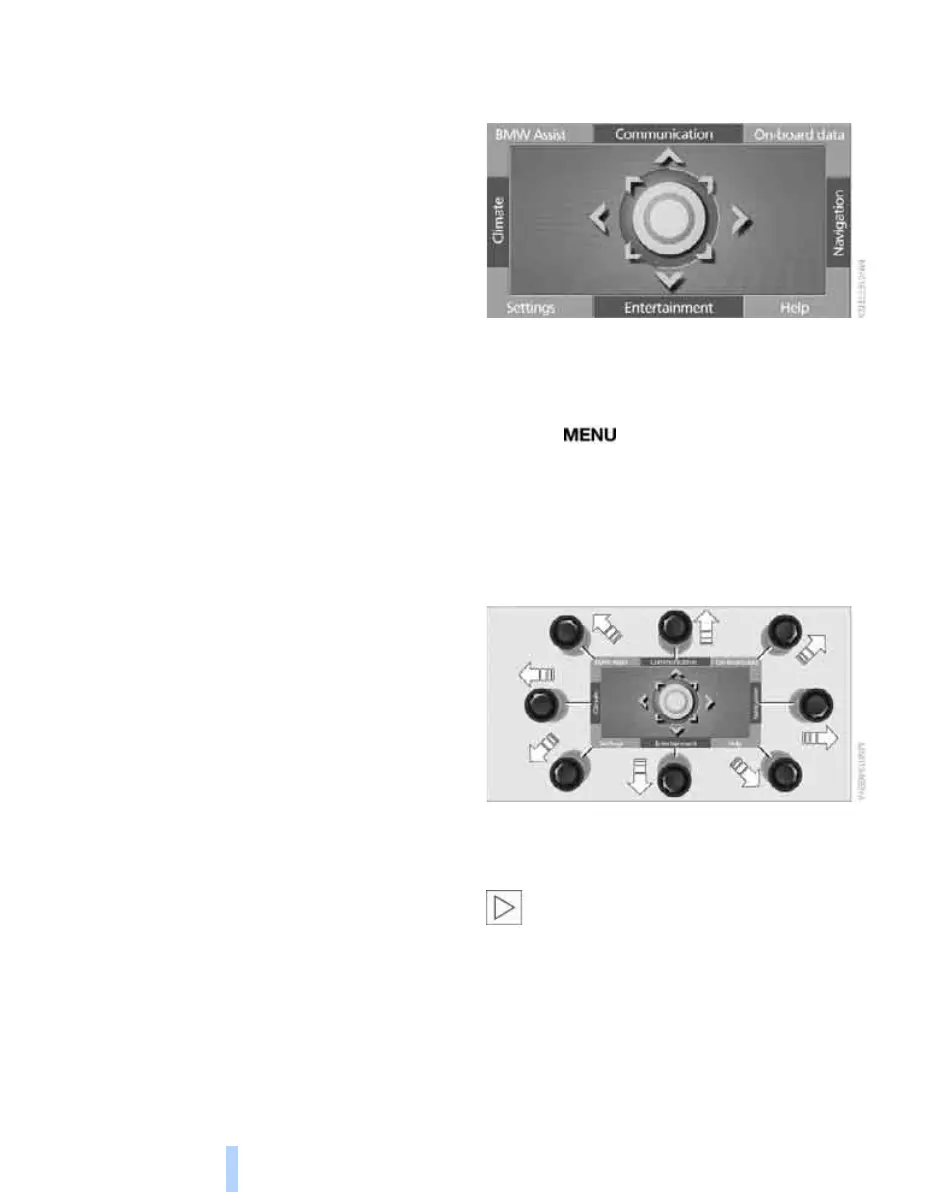
Operating principle
Start menu
All iDrive functions can be called up via eight
menu items.
Calling up start menu
Press the button.
To call up the start menu from a menu:
> Move the controller in the direction of the
currently active menu.
> Move the controller twice in one direction.
Selecting a menu
You can call up eight menu items via the start
menu by moving the controller in the corre-
sponding direction.
In one menu you can directly change to a
new menu without initially calling up the
start menu by moving in the corresponding
direction.
By moving in the corresponding direction of the
last used menu you change to the last setting of
this menu.<
Online Edition for Part no. 01 41 0 013 197 - © 02/07 BMW AG



 To Next Page