209
EntertainmentReference OverviewControlsDriving hintsCommunication NavigationMobility
Information
This information service supplies you with a
wide range of topical, interesting information on
request.
You can call up phone numbers and addresses,
then dial such a phone number directly or trans-
fer an address to the navigation system for
route guidance.
This option gives you access to an up-to-date
information service, for example for the follow-
ing categories:
> Trade information
e.g. florists, doctors
> Overnight stay
e.g. hotels, motels
> Mobility
e.g. filling stations, airports, car hire, BMW
dealers
> Food and drinks
e.g. restaurants, cafés, pubs
> Current events
e.g. cinema listings, forthcoming events.
Calling up information
iDrive, principle, see page 14.
1. Press the button to call up the start
menu.
2. Move the controller towards "BMW Assist".
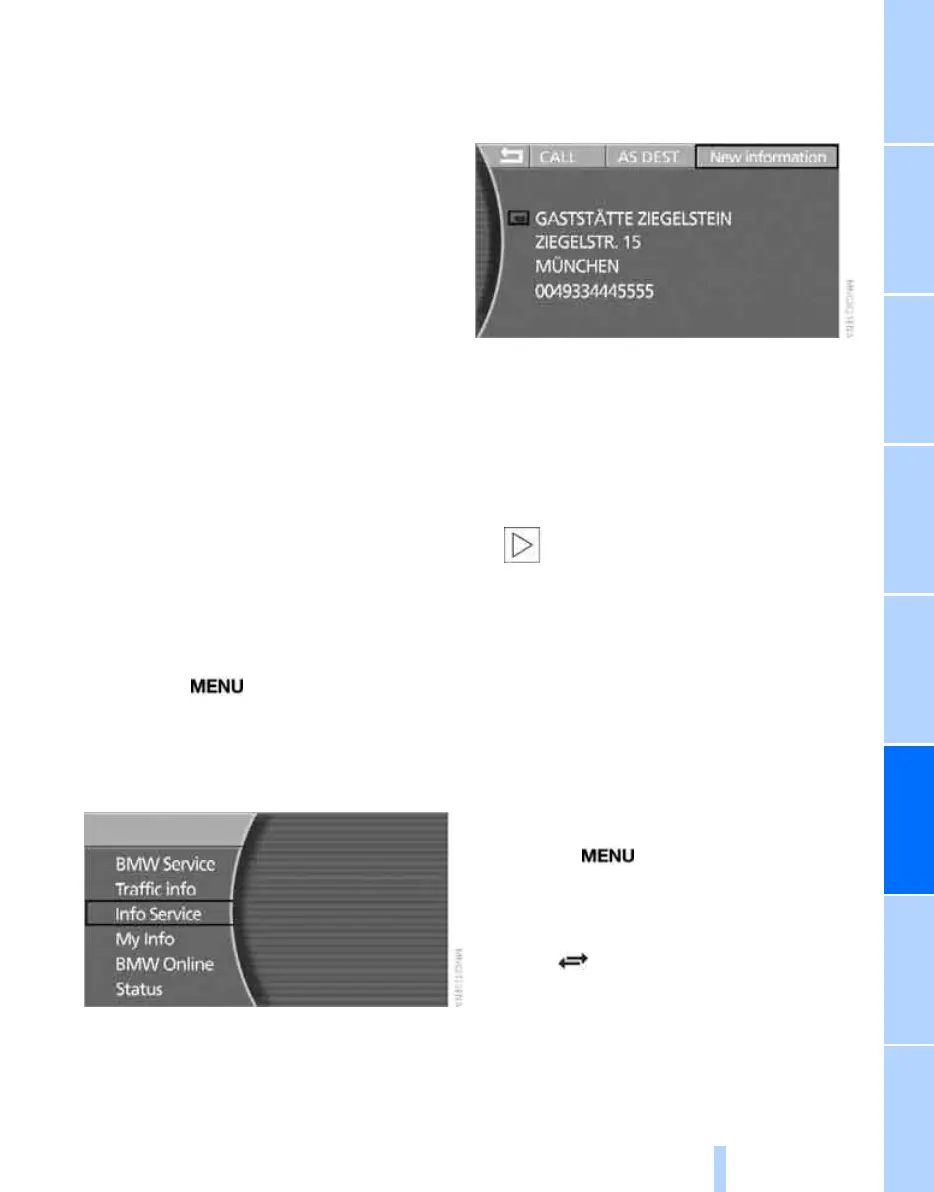
3. Select "Info Service" and press the control-
ler.
4. Select "New information" and press the
controller.
You are put in contact with a member of the
BMW Information Service, who will give you
the information you require. You can then
have the phone number and address sent to
you. Bookings can be made directly by the
BMW Information Service at many hotels.
The desired information and the corre-
sponding address are displayed on the con-
trol display.
You can for instance call the number dis-
played, or transfer the address to the navi-
gation system for route guidance:
> Select "CALL" and press the controller.
Your mobile phone must be logged
onto the vehicle if you wish to dial one
of the phone numbers displayed directly.<
The displayed phone number will be dialled.
> Select "AS DEST." and press the con-
troller.
The address will be transferred to the navi-
gation system.
My Info*
This service enables you to have text messages
sent to your car via the BMW Assist homepage.
iDrive, principle, see page 14.
1. Press the button to call up the start
menu.
2. Move the controller towards "BMW Assist".
3. Select "My Info" and press the controller.
4. Select and press the controller.
A list of received short messages is dis-
played on the right-hand side of the control
display.
Unread short messages are depicted by a
closed envelope symbol.
Online Edition for Part no. 01 41 0 013 197 - © 02/07 BMW AG



 To Next Page