76
On-board computer*
Calling up functions
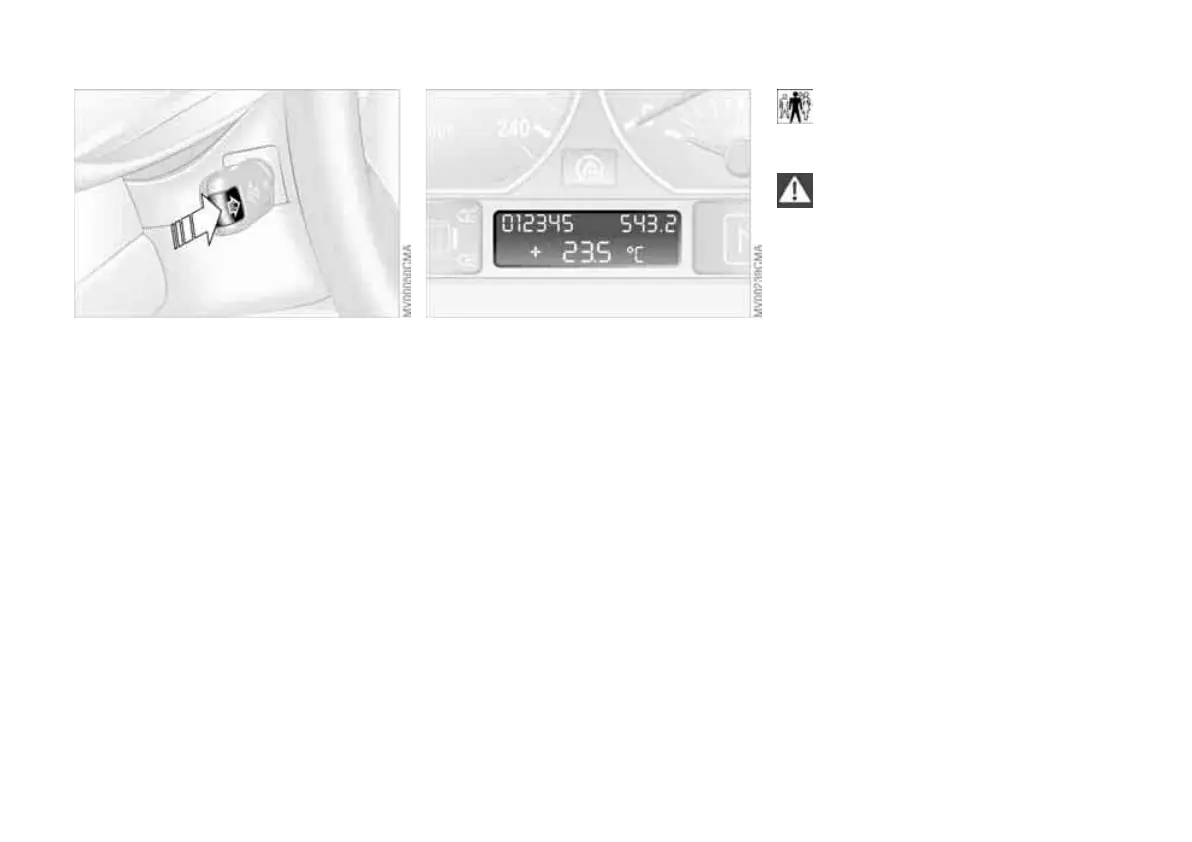
Using the on-board computer button
BC in the turn indicator lever, from igni-
tion key position 1, you can call up on-
board computer information in the
instrument cluster display unit.
Every time you press the on-board
computer button BC briefly, another
function is displayed.
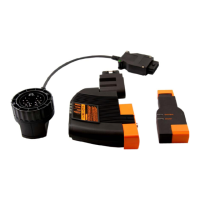
The sequence of displays:
> Time
> Outside temperature
> Average fuel consumption
> Range before refuelling
> Average speed.
From ignition key position 1, the most
recent setting appears on the display.
Outside temperature
You can change the unit of measure-
ment – 6 or 7 – used for the outside
temperature display while it is visible by
pressing the right adjusting knob on the
instrument cluster. The 6/7 unit of
measure used in the temperature dis-
play of the automatic air conditioning
system changes automatically at the
same time, see page 94.
Ice warning
If the outside temperature drops to
approx. +36 (377), the on-board
computer automatically displays the
outside temperature. An acoustic warn-
ing sounds and the display flashes for a
short time.
After issuing an ice warning, the
display returns to the previous
reading.<
Note that the ice warning does not
rule out the possibility of ice form-
ing on the road at temperatures higher
than +36 (377), for example on
bridges or where the road is in
shadow.<
Online Edition for Part-No. 01 41 0 158 017 - © 03/04 BMW AG


 To Next Page