NavigationEntertainment Driving hints
129
Reference OverviewControlsCommunicationMobility
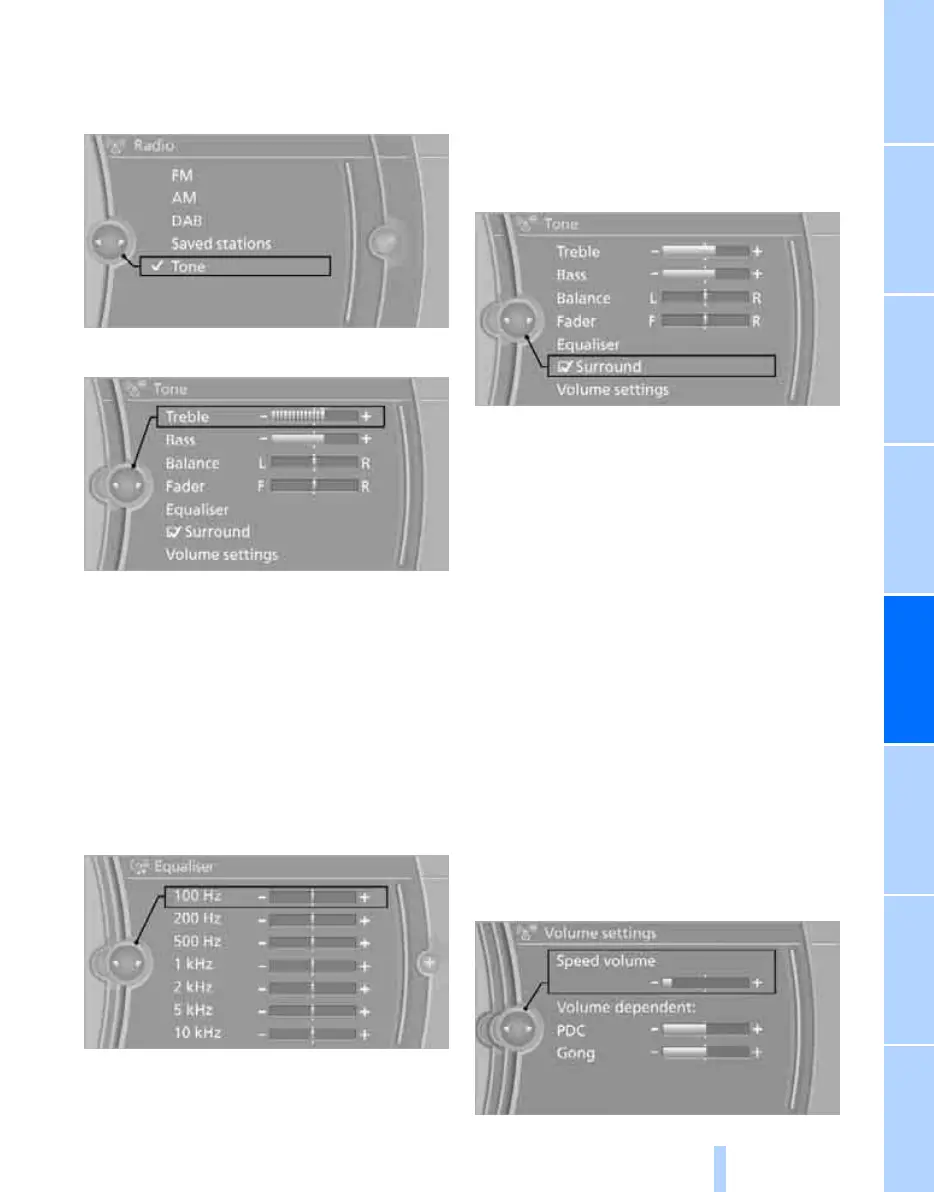
Adjusting
1. "CD/Multimedia", "Radio" or "Settings".
2. "Tone"
3. Select the desired tone setting.
4. Adjusting: turn the controller.
5. Memorising: press the controller.
Equaliser*
You can adjust individual audio frequency
ranges.
1. "CD/Multimedia", "Radio" or "Settings".
2. "Tone"
3. "Equaliser"
4. Select the desired setting.
5. Adjusting: turn the controller.
6. Memorising: press the controller.
Multichannel playback, surround*
You can choose between stereo and multichan-
nel playback, surround sound.
1. "CD/Multimedia", "Radio" or "Settings".
2. "Tone"
3. "Surround"
When playing an audio track in stereo, mul-
tichannel playback – surround – is simulated.
Surround is automatically activated or deacti-
vated depending on the audio track selected.
Volumes
> "Speed volume": adaptation of the volume
depending on the speed
> "PDC"
*
: volume of the PDC sound signal in
relation to the sound output from the enter-
tainment system
> "Gong": volume of the sound signal, e.g. for
seat belt reminder, in relation to the sound
output from the entertainment system
Adjusting
1. "CD/Multimedia", "Radio" or "Settings".
2. "Tone"
3. "Volume settings"
4. Select the desired volume setting.
Online Edition for Part no. 01 41 2 602 816 - © 08/09 BMW AGOnline Edition for Part no. 01 41 2 602 816 - © 08/09 BMW AG



 To Next Page