Music collection
148
Depending on the album, the tracks or sub-
directories of the album are displayed. If
applicable, the first track is played automat-
ically.
4. To select a track, change directories if nec-
essary. Tilt the controller to the left to
switch to a higher-level directory.
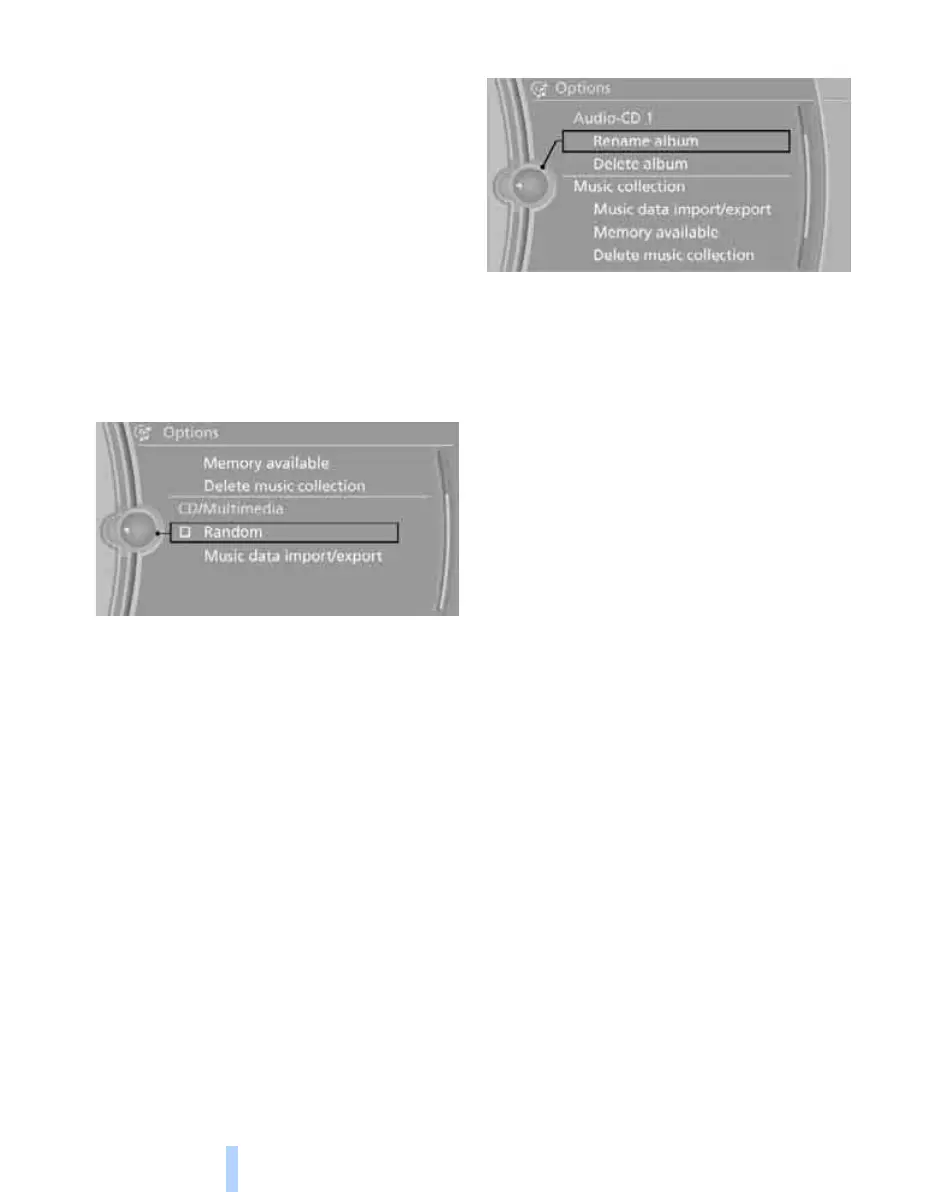
Random playback
All the tracks in the selection are played in ran-
dom order.
1. "CD/Multimedia"
2. "Music collection"
3. Call up "Options".
4. "Random"
Managing music
Albums
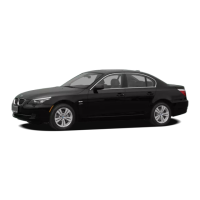
Renaming album
If applicable, the name of the album is entered
automatically during memorising. If the name is
unknown, it can be changed later.
If a track from the album is currently being
played, the album cannot be renamed.
1. "CD/Multimedia"
2. "Music collection"
3. Highlight the album.
4. Call up "Options".
5. "Rename album"
6. Select the letters individually.
Deleting album
It may not be possible to delete an album while
a track from that album is being played.
1. "CD/Multimedia"
2. "Music collection"
3. Highlight the album.
4. Call up "Options".
5. "Delete album"
Deleting directory and track
It may not be possible to delete a track while
that track is being played.
It may not be possible to delete a directory while
a track from that directory is being played.
1. "CD/Multimedia"
2. "Music collection"
3. Highlight the directory or track.
4. Call up "Options".
5. "Delete folder" or "Delete track".
Album information*
If no information was stored for audio CDs on
memorising, it can be updated later via BMW
Online
*
as required.
Updating album information via BMW
Online*
1. "CD/Multimedia"
2. "Music collection"
3. Call up "Options".
Online Edition for Part no. 01 41 2 602 816 - © 08/09 BMW AGOnline Edition for Part no. 01 41 2 602 816 - © 08/09 BMW AG



 To Next Page