External devices
152
Searching for tracks
You can call up the tracks on the basis of the
information and playlists. In the case of USB
devices, you can also call up the tracks using
the file directory.
Selection options via:
> Playlists
> Information: music genre, artist, album,
titles
> Additionally in the case of USB devices: file
directory, composer
Tracks are displayed if their titles have been
stored in Latin letters.
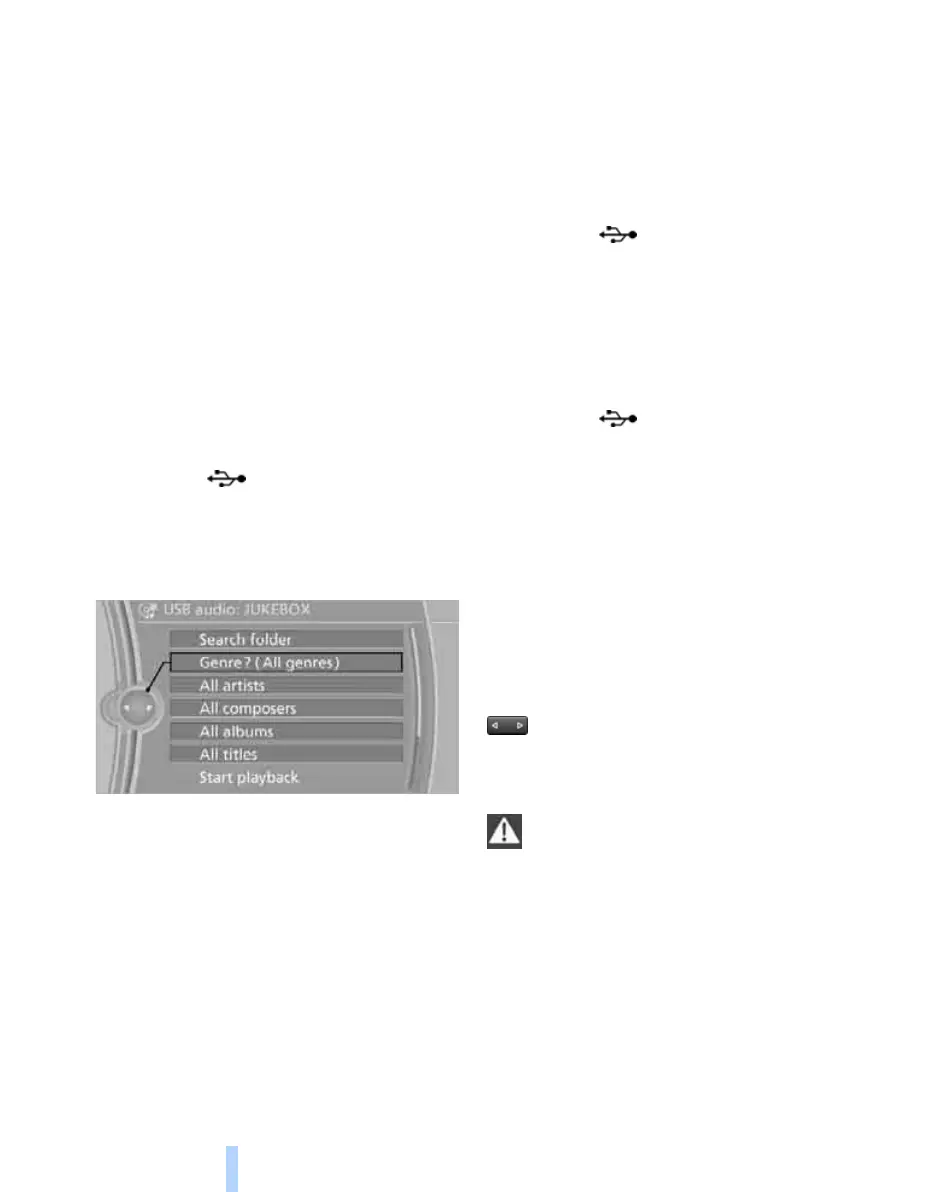
Starting the track search
1. "CD/Multimedia"
2. "External devices"
3. Select the symbol.
The name of the audio device is displayed if
applicable.
4. Select the desired category, "Genre", "Art-
ist".
All entries are shown in a list. The "A-Z
search" can be used to find certain entries.
> Call up "A-Z search" and make the
desired entry.
> Select the desired entry from the list.
5. Select further categories as appropriate.
The tracks that are found are listed. Not all
categories need to be selected. If, for exam-
ple, you wish to find all the tracks of a certain
artist, call up only this artist. All tracks by
that artist will be displayed.
6. "Start playback"
Starting a new track search
"New search"
Playlists
Calling up playlists.
1. "CD/Multimedia"
2. "External devices"
3. Select the symbol.
4. "Playlists"
Currently playing
List of currently played tracks.
1. "CD/Multimedia"
2. "External devices"
3. Select the symbol.
4. "Current playback"
Random playback
You can play the tracks of the selected list in
random order, e.g. all tracks of one artist.
1. "CD/Multimedia"
2. "External devices"
3. Call up "Options".
4. "Random"
Fast forward/reverse
Press and hold the button for the appro-
priate direction.
Notes
Do not expose the audio device to
extreme environmental conditions, e.g.
very high temperatures, see the Operating
Instructions of the audio device. Otherwise, the
audio device can be damaged, thus reducing
driving safety while the vehicle is being driven.<
Depending on the configuration of the audio
files, e.g. bit rates greater than 256 KBit/s, per-
fect playback cannot be ensured in every case.
Information regarding connection
> The connected audio device is supplied
with a maximum power of 500 mA if the
Online Edition for Part no. 01 41 2 602 816 - © 08/09 BMW AGOnline Edition for Part no. 01 41 2 602 816 - © 08/09 BMW AG



 To Next Page