BMW Services
172
mation service can directly make reservations in
many hotels. On reception of information, a list
of pick up messages is displayed automatically.
Call up the message via the message list, see
page 163.
Breakdown recovery
You can contact the BMW Group Mobile Serv-
ice
*
if you require assistance in the event of a
breakdown.
Starting Roadside Assistance
Equipment without BMW Assist or
BMW TeleServices
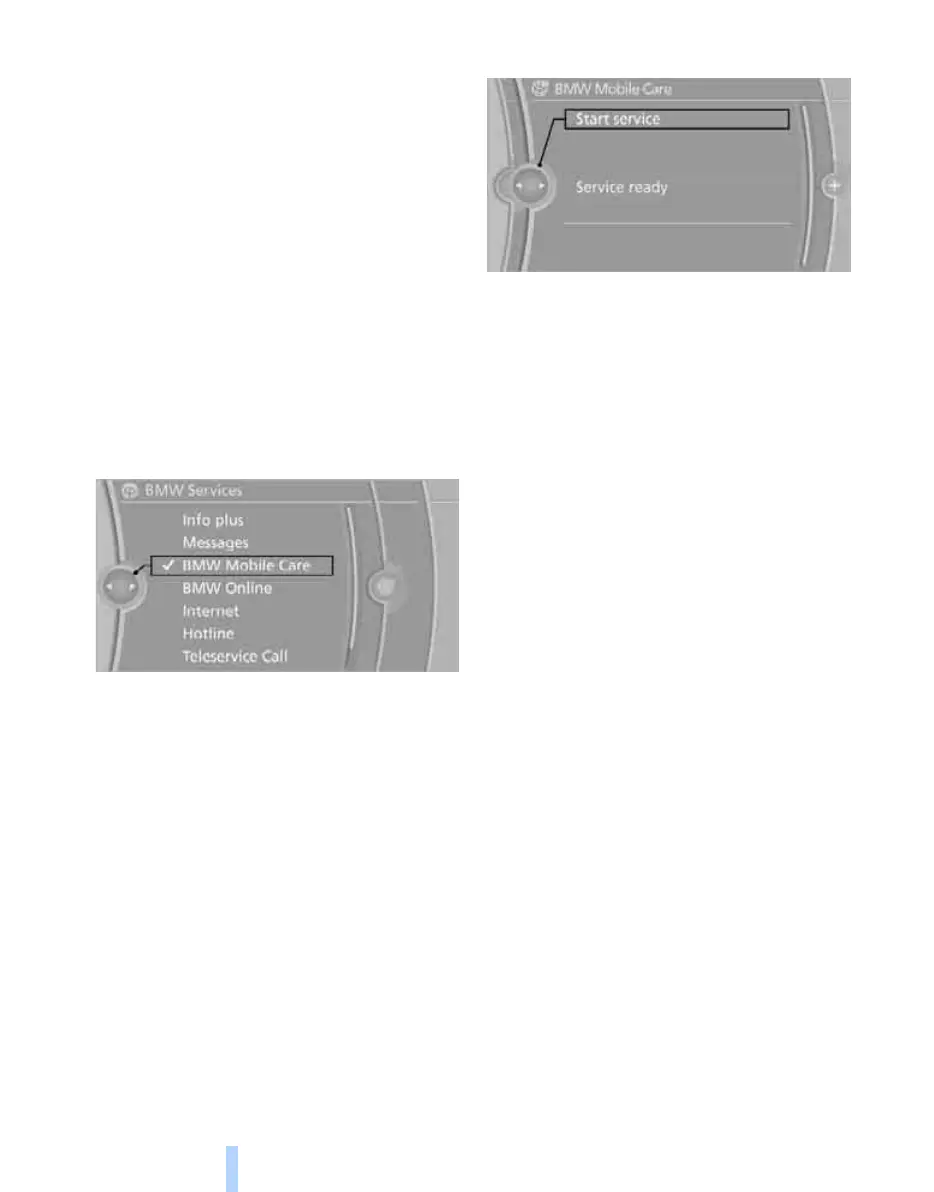
1. "BMW Services"
2. "BMW Mobile Care"
The number of Roadside Assistance is dis-
played.
3. Select a number. If a mobile phone
*
is
logged on, a connection to BMW Roadside
Assistance is established.
Equipment with BMW Assist or BMW
TeleServices
1. "BMW Services"
2. "BMW Mobile Care"
3. "Start service"
BMW Teleservice Diagnosis*
The BMW Teleservice Diagnosis enables the
transmission of detailed vehicle data that is
required for the diagnosis of the vehicle by
mobile phone. This data is transferred automat-
ically.
Once the data has been transferred, a voice
connection to the Mobile Service is established.
BMW Teleservice Help*
BMW Teleservice Help enables a more detailed
diagnosis of the vehicle by the Mobile Service
via mobile telephony. Following a prompt from
the Mobile Service and after terminating the
voice connection, the Teleservice Help can be
started.
Starting Teleservice Help
1. Park the vehicle safely.
2. Apply the parking brake.
3. Engine is running.
4. "Teleservice Help"
After completion of the Teleservice Help, a
voice connection to the Mobile Service is
established.
Activating BMW Assist*
If you have a valid contract with BMW Assist
and the services are not displayed, these might
have to be activated.
Online Edition for Part no. 01 41 2 602 816 - © 08/09 BMW AGOnline Edition for Part no. 01 41 2 602 816 - © 08/09 BMW AG



 To Next Page