Overview
21
Reference ControlsDriving hintsCommunication NavigationEntertainmentMobility
Possible commands
The commands that are possible in each case
depend on the selected menu item on the Con-
trol Display.
To have possible commands read aloud:
For instance, if you have selected "CD/DVD",
the available commands for operating the CD/
Multimedia will be read out.
Calling up functions immediately using
short commands
Short commands enable you to call up certain
functions immediately irrespective of which
menu item is selected, see page 220.
An example: selecting a track from a CD
1. If necessary, switch on entertainment audio
output.
2. Press the button on the steering wheel.
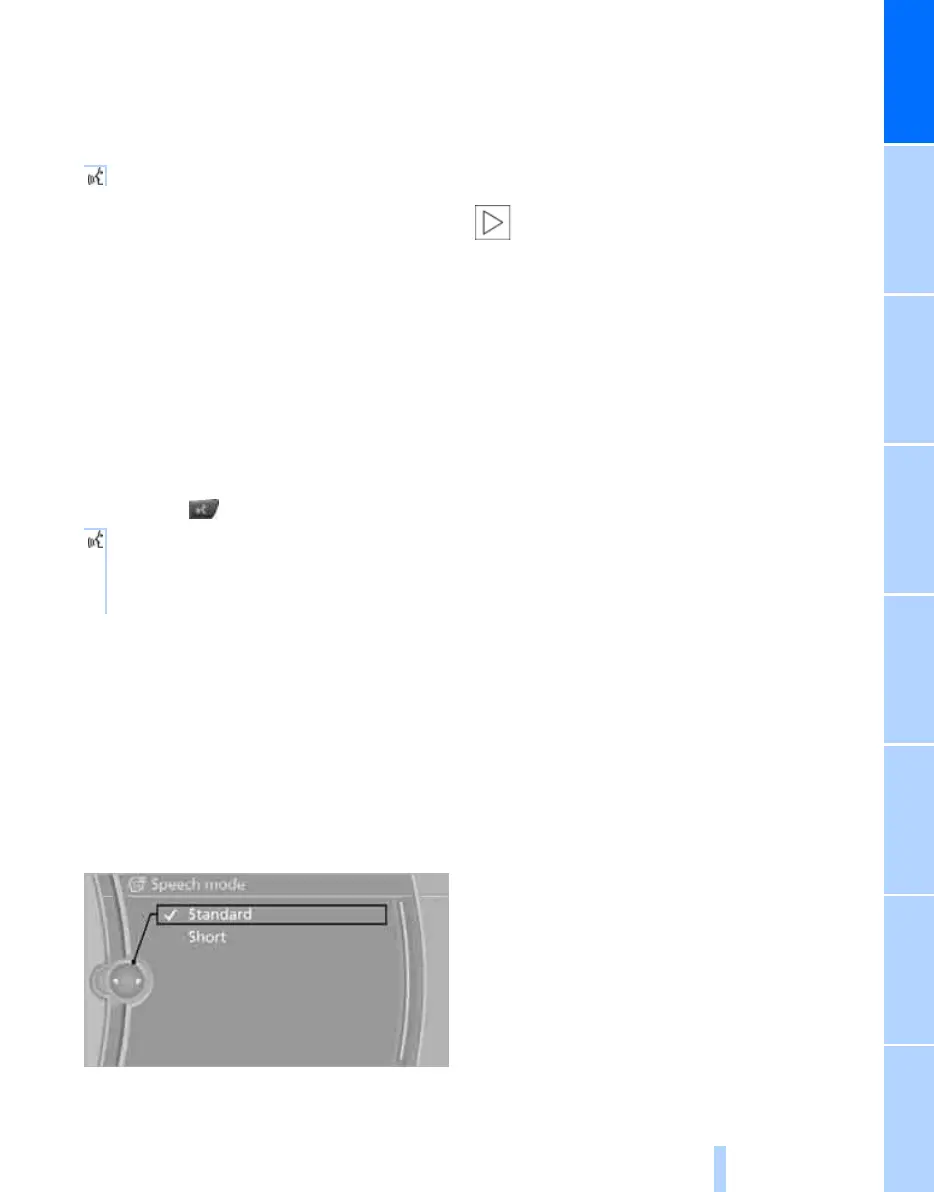
Setting the speech dialogue
You can set whether the system uses the
standard dialogue or the short variant. With the
short variant of the voice dialogue, the com-
mands and responses of the system are short-
ened.
1. "Settings"
2. "Language/Units"
3. "Speech mode:"
4. Select a setting:
> "Standard"
> "Short"
Notes
More information about voice control of
the telephone appears on page 164.<
When using voice control, note the following:
> Do not use the voice control system for
emergency calls. In stress situations, the
spoken language and voice pitch can
change. This delays establishment of a tel-
ephone connection unnecessarily.
> Pronounce the commands and numbers
fluently and at normal volume, avoiding
unnatural emphases and pauses while
speaking. This also applies to spelling out
and saying an entire word for destination
input.
> When selecting a radio station, use the
standard pronunciation of the station name.
> When making entries in the voice-activated
phone book, use only names in the lan-
guage of the voice control system, and do
not use abbreviations.
> Keep doors, windows and the glass roof
*
or
Panorama glass roof
*
closed to avoid noise
interference from outside the car.
> Avoid background noises in the car while
you are speaking.
{Voice commands}
3. Select a music track, e.g.:
{CD track 4}
The system says:
{{Track 4}}
Online Edition for Part no. 01 41 2 602 816 - © 08/09 BMW AGOnline Edition for Part no. 01 41 2 602 816 - © 08/09 BMW AG



 To Next Page