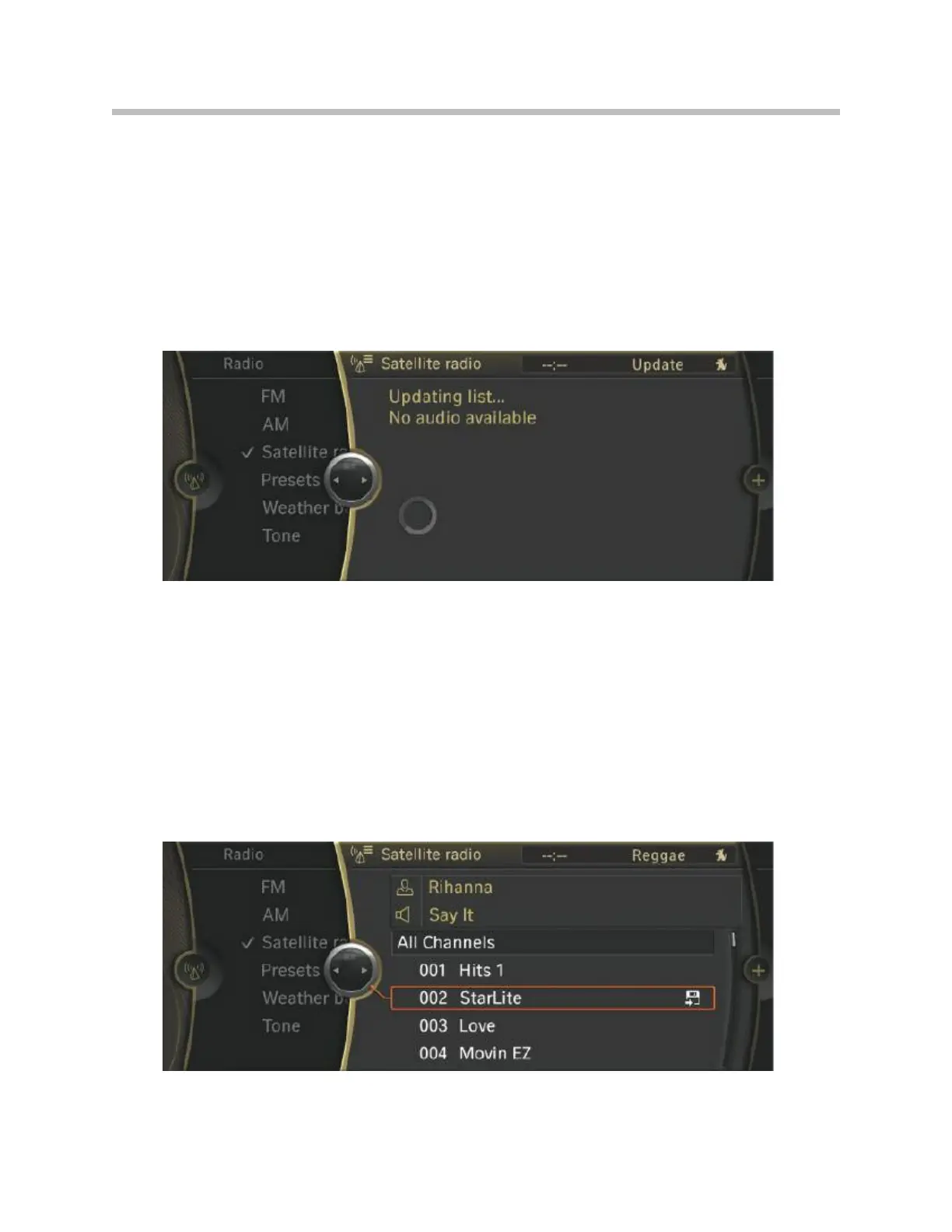
Important information for enabling SDARS:
• Park vehicle with clear view of the sky; tune in to weather channel on channel 184
(The weather channel is enabled for 360 days)
• Call SIRIUS and apply to enable the SDARS module
• The radio is muted and the “Updating list...” information appears during activation
• Wait until the pop-up disappears and the radio can be heard again
• Check that a credit card symbol no longer appears next to the enabled channels
(see picture below). Otherwise, repeat the previous steps.
After successfully enabling the channels, on selection, the diskette symbol appears to
the right next to the station. It indicates that the station can now be stored in the “All
channels” list.
Search of SDARS station list
SDARS successfully enabled
88
F01 Audio Systems



 To Next Page