EN-US
41
COMMISSIONING
General commissioning process
Clean the connection area (remove material residue and dirt).
Before commissioning, confirm that all screwed and clamped connections are firm!
Confirm that all unused cable glands are correctly closed with blanking plugs or blind caps.
Switch on the supply voltage. 15-20 seconds after the self-test, the status LED (LED strip) must
show blue.
Carry out the prescribed initial testing as per locally applicable guidelines and laws.
Close the connector panel cover of the Wallbox.
Fit the casing cover.
Programming RFID cards (optional)
Note
In order to deactivate the RFID function or to program additional cards, please follow the
programming instructions in the operating instructions.
Installing the connector panel cover
Note
Confirm that a current version of the software is available before you install the connector panel
cover. For further information, see section SOFTWARE UPDATE.
Note
The Wallbox must not be used permanently if this cover is absent or damaged. Alternative
covers are not permitted.
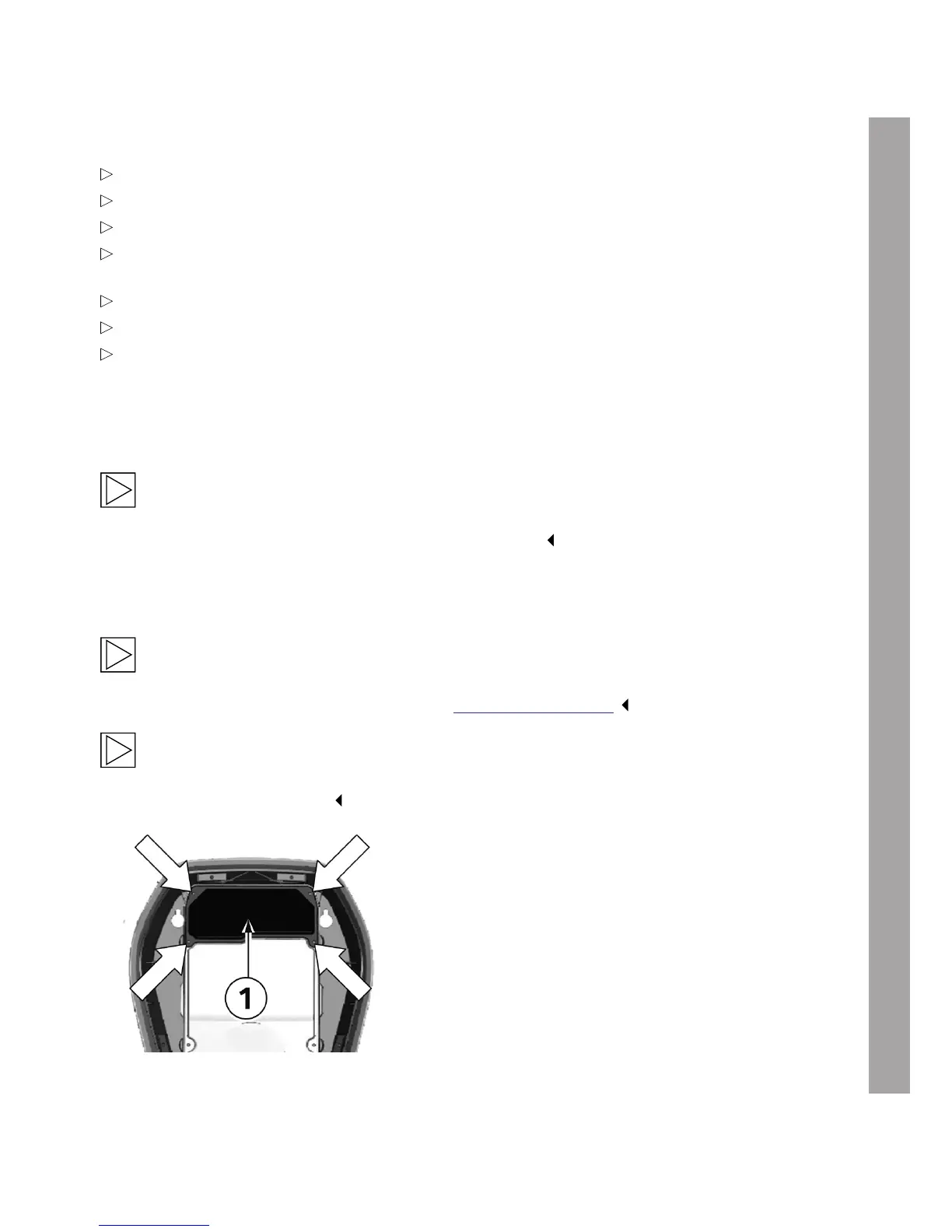
Attachment bolts
1. Replace the connector panel cover 1.
2. Attach the connector panel cover again using
the four bolts.


 To Next Page