Switch the system back on, if needed.
Depending on the vehicle equipment:
switching on/off manually
Press park assistance button.
▷ On: the LED lights up.
▷ Off: the LED goes out.
The parking assistance functions are shown on
the Control Display.
Switching the view via iDrive
If the rearview camera view is not displayed,
change the view via iDrive:
1.
Move the Controller to the left, if needed.
2. "Rear view camera"
The rearview camera image is displayed.
Display on the Control Display
Functional requirement
▷ The rearview camera is switched on.
▷ The tailgate is fully closed.
▷ Keep the recording range of the camera
clear. Protruding cargo or carrier systems and
trailers that are not connected to a trailer
power socket can lead to malfunctions.
Activating assistance functions
More than one assistance function can be active
at the same time.
Move the Controller to the left, if needed.
▷ Parking aid lines
"Parking aid lines"
Lanes and turning radius are indicated.
▷ Obstacle marking
"Obstacle marking"
Obstacles are marked, depending on the ve‐
hicle equipment.
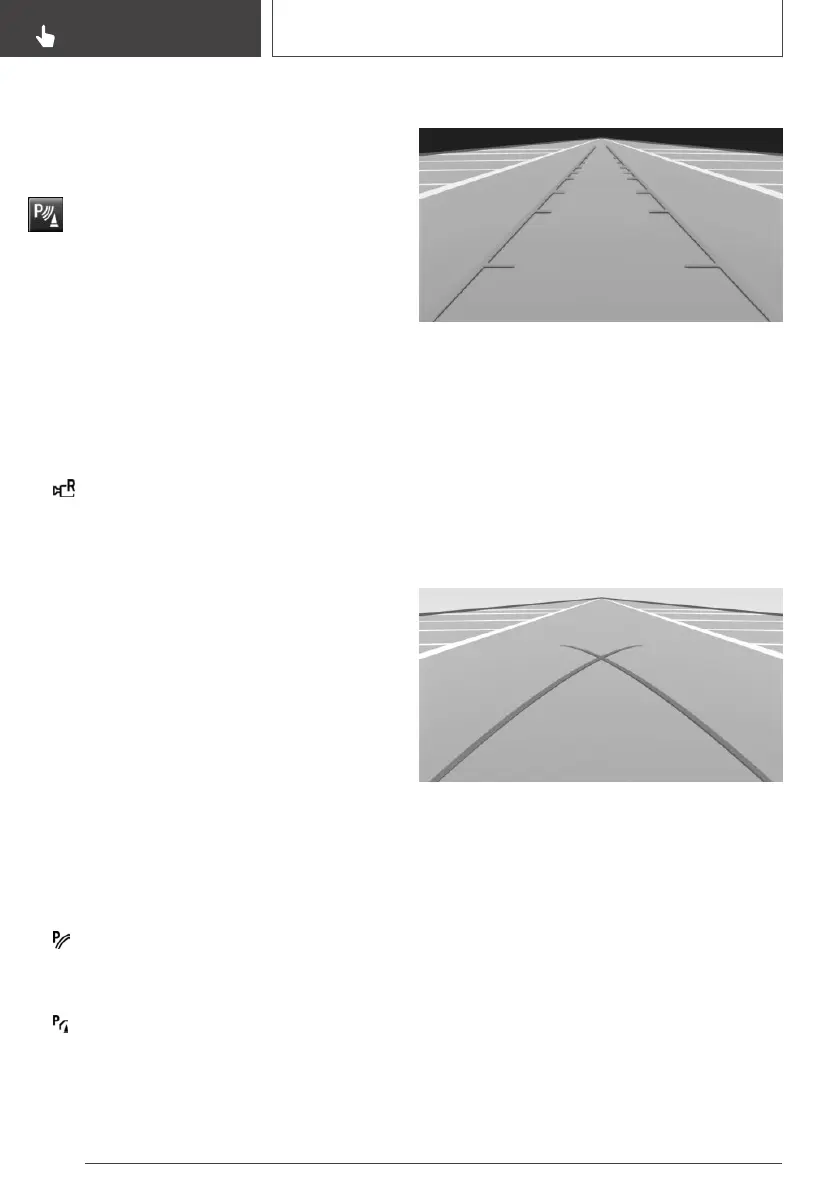
Pathway lines
Pathway lines can be superimposed on the im‐
age of the rearview camera.
Pathway lines help you to estimate the space re‐
quired when parking and maneuvering on level
roads.
Pathway lines depend on the current steering
angle and are continuously adjusted to the steer‐
ing wheel movements.
Turning radius lines
Turning radius lines can only be superimposed
on the rearview camera image together with
pathway lines.
Turning radius lines show the course of the
smallest possible turning radius on a level road.
Only one turning radius line is displayed after the
steering wheel is turned past a certain angle.
Seite 166
CONTROLS
Driving comfort
166
Online Edition for Part no. 01402989267 - II/18


 To Next Page
 Loading...










