Obstacle marking
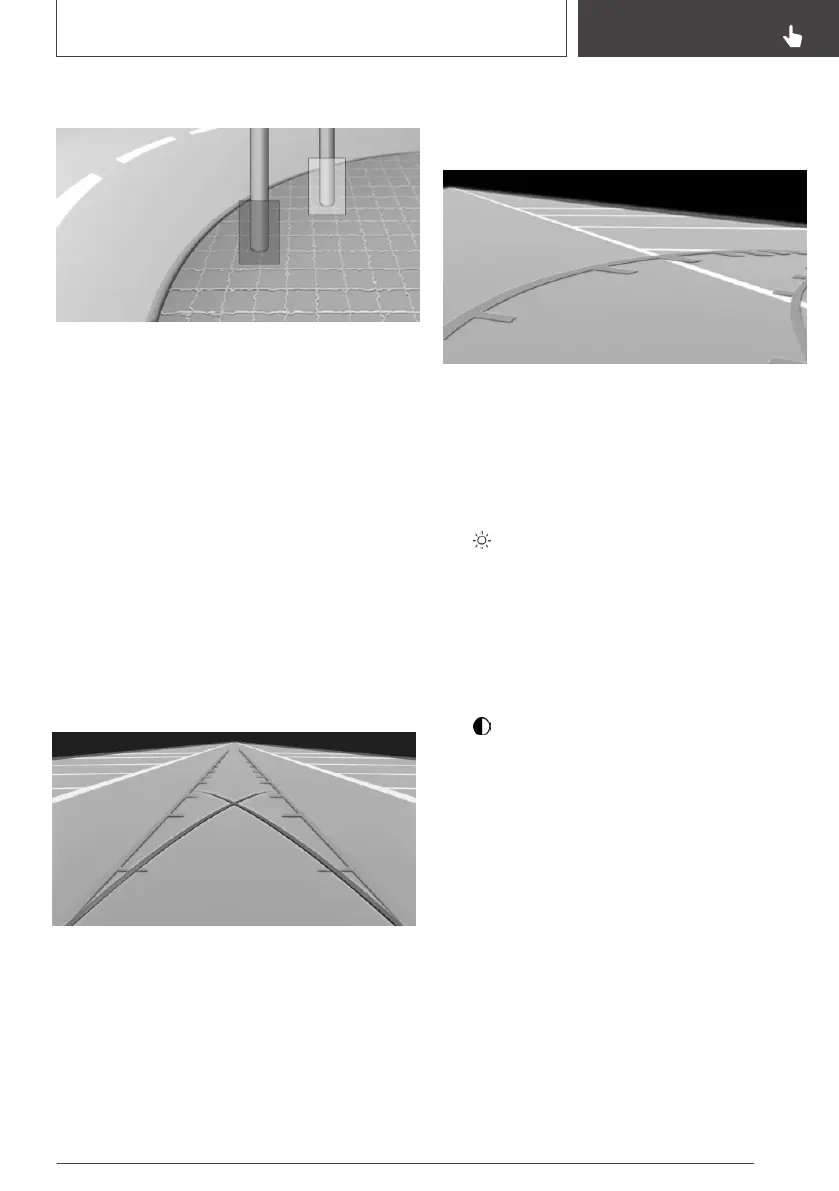
If the vehicle is equipped accordingly, obstacles
behind the vehicle are detected by the PDC Park
Distance Control sensors and the rearview cam‐
era.
Depending on the vehicle equipment, obstacle
markings can be faded into the image of the
rearview camera.
The colored thresholds of the obstacle markings
match the markings of the PDC Park Distance
Control.
Parking using pathway and turning
radius lines
1.
Position the vehicle so that the turning radius
lines lead to within the limits of the parking
space.
2. Turn the steering wheel to the point where
the pathway line covers the corresponding
turning radius line.
Display settings
Brightness
With the rearview camera switched on:
1.
Move the Controller to the left, if needed.
2. Select the symbol.
3. Turn the Controller until the desired setting is
reached, and press the Controller.
Contrast
With the rearview camera switched on:
1.
Move the Controller to the left, if needed.
2. Select the symbol.
3. Turn the Controller until the desired setting is
reached, and press the Controller.
System limits
Detection of objects
Very low obstacles as well as high, protruding
objects such as ledges may not be detected by
the system.
Depending on the vehicle equipment, some as‐
sistance functions also consider data from the
PDC Park Distance Control.
Follow the notes in the PDC Park Distance Con‐
trol chapter.
Seite 167
Driving comfort
CONTROLS
167
Online Edition for Part no. 01402989267 - II/18


 To Next Page
 Loading...










