Memory function
Principle
The following settings can be stored and, if
necessary, retrieved using the memory func-
tion:
▷ Seat position.
▷ Exterior mirror adjustment.
▷ Steering wheel position.
▷ Lumbar support position.
▷ Height of the Head-up display.
Safety information
Warning
Using the memory function while driving can
lead to unexpected seat or steering wheel
movements. Vehicle control could be lost.
There is a risk of accident. Only retrieve the
memory function when the vehicle is station-
ary.
Warning
There is a danger of jamming when moving
the seats. There is a risk of injury or risk
of damage to property. Make sure that the
travel path of the seat is clear prior to any
adjustment.
Memory function, front
Overview
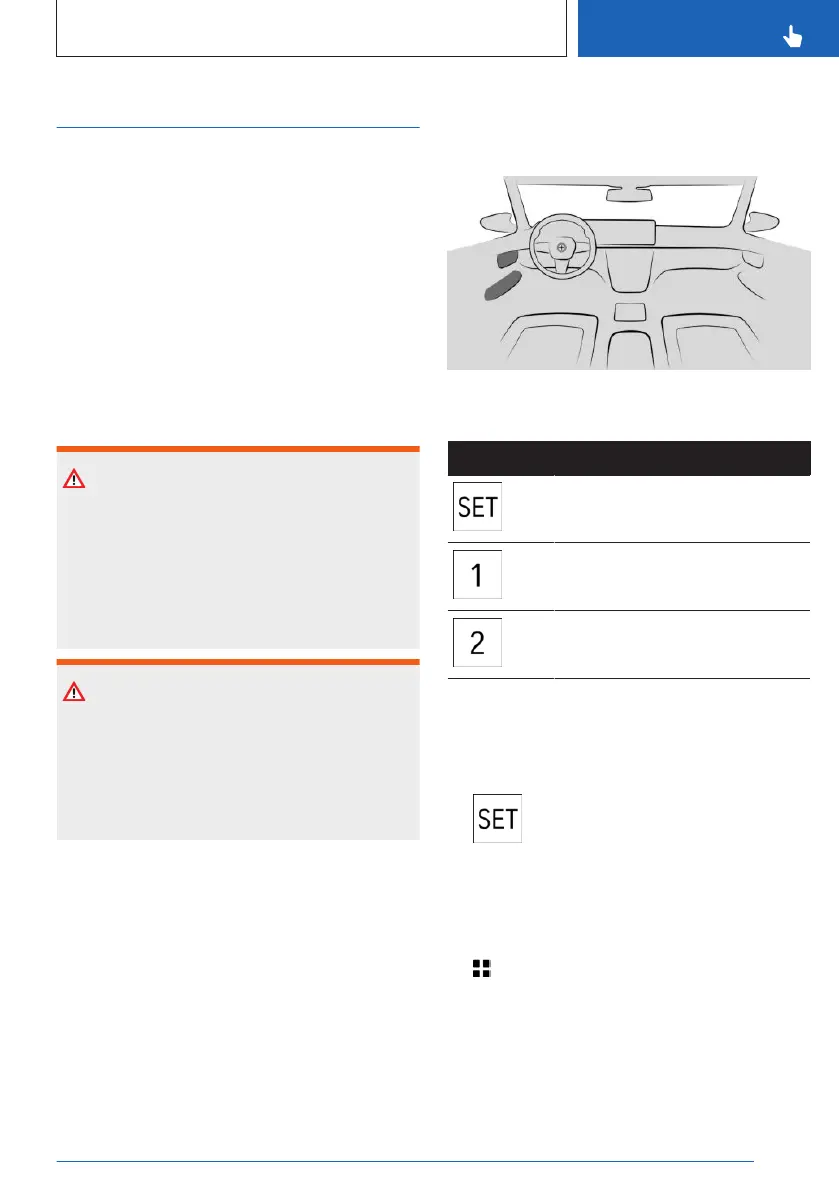
The memory buttons are located on the front
doors.
Icon Meaning
SET button
Memory button 1
Memory button 2
Storing settings
Using the button:
1.
Set the desired position.
2. Press the button. The LED illumi-
nates.
3. Press the desired memory button as long
as the LED is illuminated. A signal sounds.
Via iDrive:
1.
Apps menu
2. "Vehicle"
3. "Seat comfort"
4. Select desired seat.
5. "Seat position"
6. Save the desired seat position.
Seite 117
Seats, mirrors and steering wheel
CONTROLS
117
Online Edition for Part no. 01405A88D67 - VI/23



 To Next Page