Displaying vehicle status
1. Apps menu
2. "Vehicle"
3. "Vehicle status"
Overview
Icon Description
"FLAT TIRE MONITOR": Sta-
tus of the flat tire monitor, refer
to page 352.
"Tire Pressure Monitor": status
of the Tire Pressure Monitor,
refer to page 345.
"Check Control": displaying
stored Check Control mes-
sages, refer to page 145.
"Required services": display of
the service notification, refer to
page 162.
Current driving condition
General information
The current driving condition is displayed dy-
namically while driving in the Live Vehicle
menu on the control display.
The following states can be displayed:
▷
Driving.
▷ Coasting mode: "EFFICIENT COASTING".
▷ "CHARGING BATTERY"
▷ Adaptive recuperation.
Depending on the situation, additional in-
formation on adaptive recuperation is dis-
played.
Functional requirements
▷ Personal or Efficient driving mode is se-
lected.
▷ The following setting is selected for Live
Vehicle:"Adaptive content"
Display
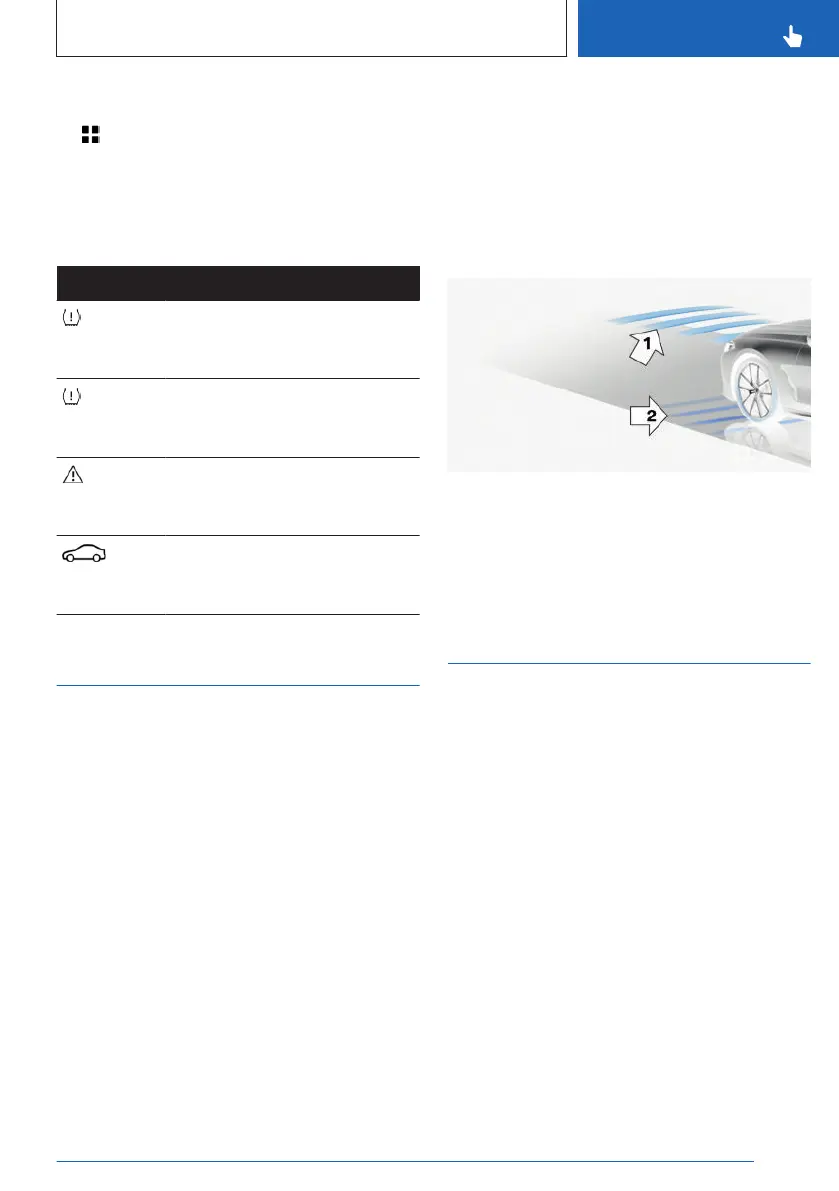
An example:
The adaptive recuperation is active, arrow 1.
The high-voltage battery is charged when the
vehicle is decelerating, arrow 2.
Sport displays
Principle
The Sport displays especially support a sporty
driving style.
Functional requirements
▷
SPORT driving mode is selected.
▷ The following setting is selected for Live
Vehicle:"Adaptive content"
Display
The sport displays are displayed in the Live
Vehicle menu on the control display.
The following information is displayed:
▷
Torque.
▷ Power.
Seite 161
Displays
CONTROLS
161
Online Edition for Part no. 01405A88D67 - VI/23



 To Next Page