5. Press the charging socket flap closed until it
engages.
6. Attach cover of the charging cable connec-
tor, if needed.
7. Remove the mode 2 charging cable from
the domestic socket outlet or the fast
charging cable (mode 3) from the socket on
the AC charging station as needed.
8. Stow the charging cable as required.
At a charging station, insert the perma-
nently installed charging cable in the place
provided for it.
Unlocking the charging cable
Principle
AC charging cable: the charging cable is un-
locked when the vehicle is unlocked.
DC charging cable: the charging cable is un-
locked via iDrive or by ending the charging
process at the charging station.
When the vehicle is unlocked, the charging ca-
ble can be unlocked using the button on the
charging socket.
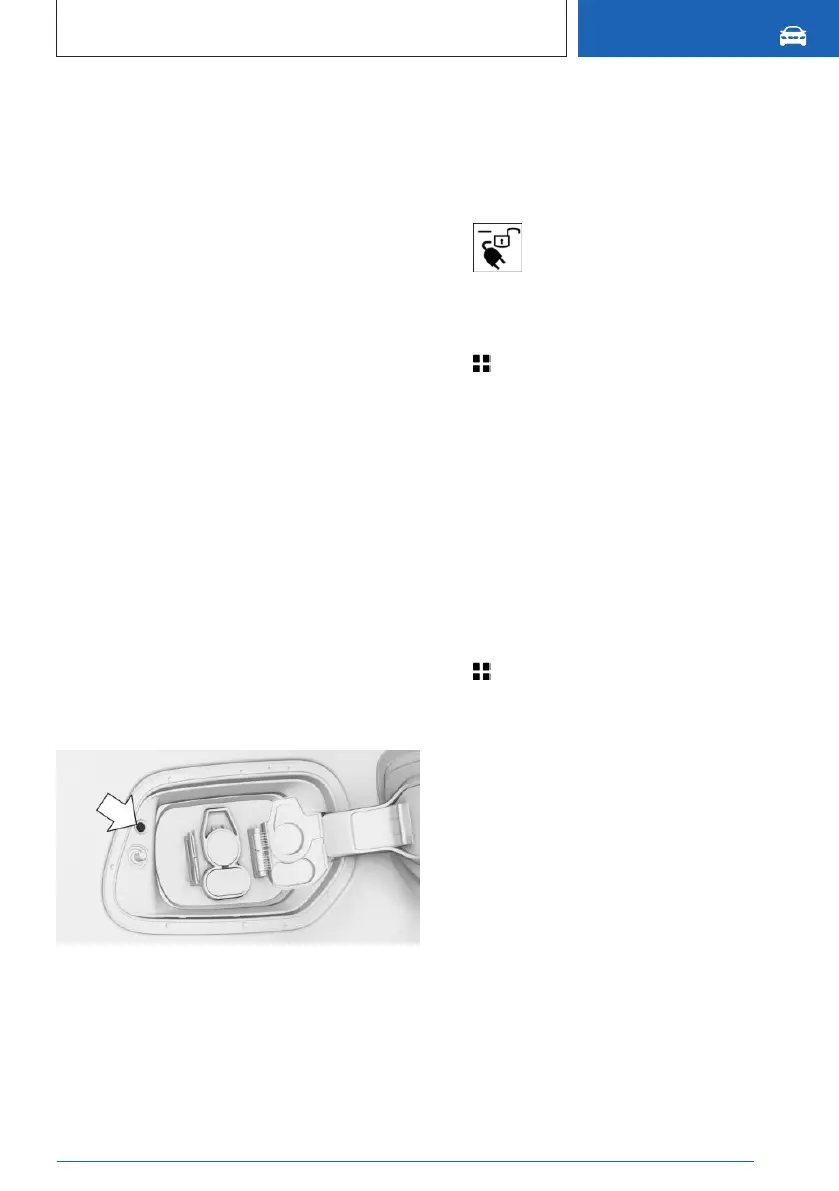
Releasing the charging cable using the
key
The charging cable release key is located next
to the charging socket.
Unlocking charging cable via iDrive
Selecting unlock directly
Depending on the display on the control dis-
play, the function can be selected directly.
1. "Unlock charging cable now"
2. "Unlock charging cable now"
Unlocking via the menu
1. Apps menu
2. "Vehicle"
3. "Charging"
4. "Unlock charging cable"
5. "Unlock charging cable now"
6. "Stop and unlock charging cable"
7. To disconnect the charging cable, press the
button on the charging socket. You can also
disconnect the charging cable when the ve-
hicle is locked.
Additional settings for unlocking
1.
Apps menu
2. "Vehicle"
3. "Charging"
4. "Unlock charging cable"
5. Select the desired setting:
▷ "Unlock AC charging cable at end of
charging": The AC charging cables un-
lock automatically as soon as the charg-
ing process is finished.
▷ "Unlock charging socket flap
permanently": the charging socket flap
can be kept unlocked so that the charg-
ing socket flap can be opened even
when the vehicle is locked.
Seite 321
Charging the vehicle
MOBILITY
321
Online Edition for Part no. 01405A88D67 - VI/23



 To Next Page