With the My BMW app
The My BMW app can be used to open and
close automatically. To do so, a digital key
for the vehicle must be installed on the smart-
phone.
Additional information:
BMW Digital Key, refer to page 89.
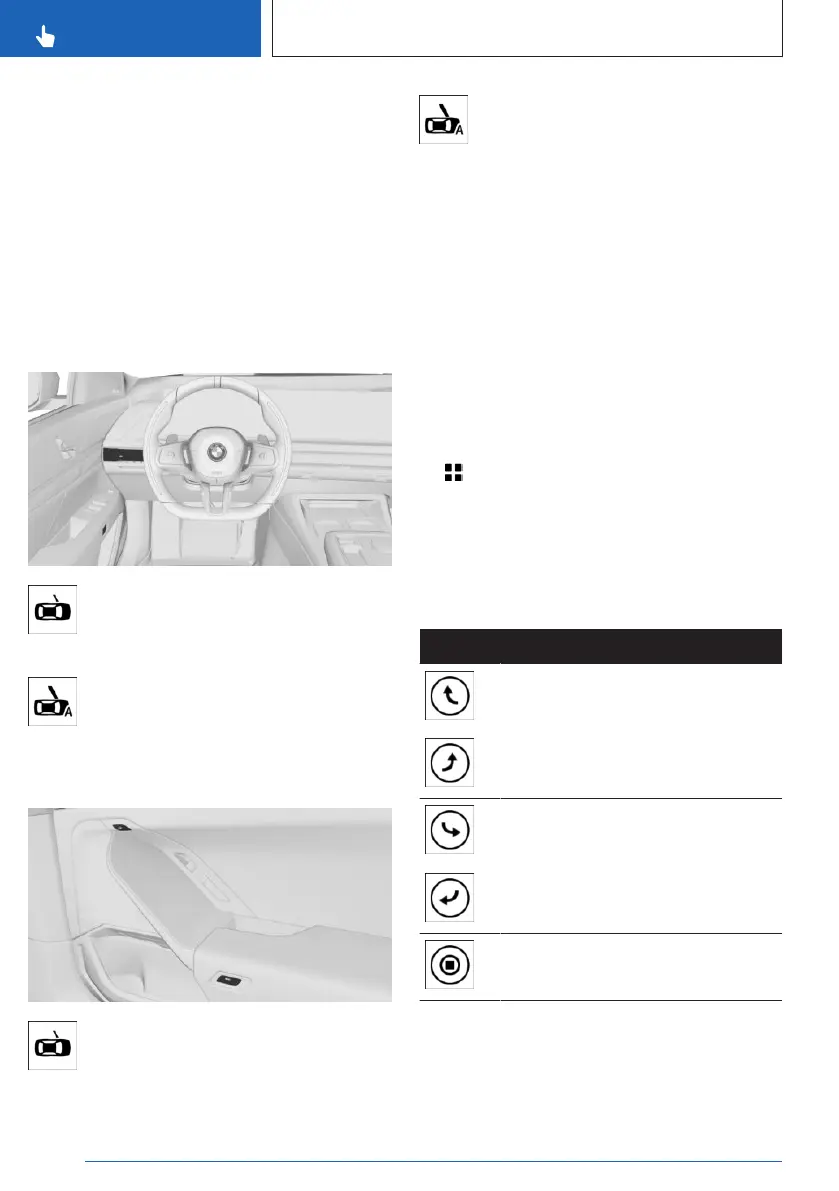
In the interior
Operating the front door
Press the button in the door to unlock
the door.
Push the door outward.
Press the button next to the steering
wheel to open or close the door auto-
matically.
Operating the rear doors
Press the button to unlock the door.
Push the door outward.
Press the button to open or close the
door automatically.
Closing the driver’s door with the brake
pedal
Depress the brake pedal to close the driver’s
door.
This function must be activated in the settings.
Additional information:
Settings, refer to page 94.
Operating doors on the control display
Doors can be opened, closed, and stopped in
motion, separately or together.
1.
Apps menu
2. "Vehicle"
3. "Doors and windows"
4. "Automatic doors"
5. Select the desired function.
Operation of individual doors:
Icon Meaning
Open the closed door.
Close the open door.
Stop the door movement.
Seite 84
CONTROLS
Opening and closing
84
Online Edition for Part no. 01405A88D67 - VI/23



 To Next Page