▷ Seat position.
▷ Exterior mirror position.
▷ Height of the Head-up Display.
Storing
1. Turn on the ignition.
2. Set the desired position.
3. Press the button. The LED in the
button lights up.
4. Press the desired button 1 or 2 while the
LED is lit. The LED goes out.
Calling up settings
Press the desired button 1 or 2.
The stored position is called up automatically.
The procedure stops when a seat setting
switch or one of the memory buttons is
pressed.
The adjustment of the seat position on the
driver's side is interrupted after a short time
while driving.
Infotainment
Radio
Buttons and functions
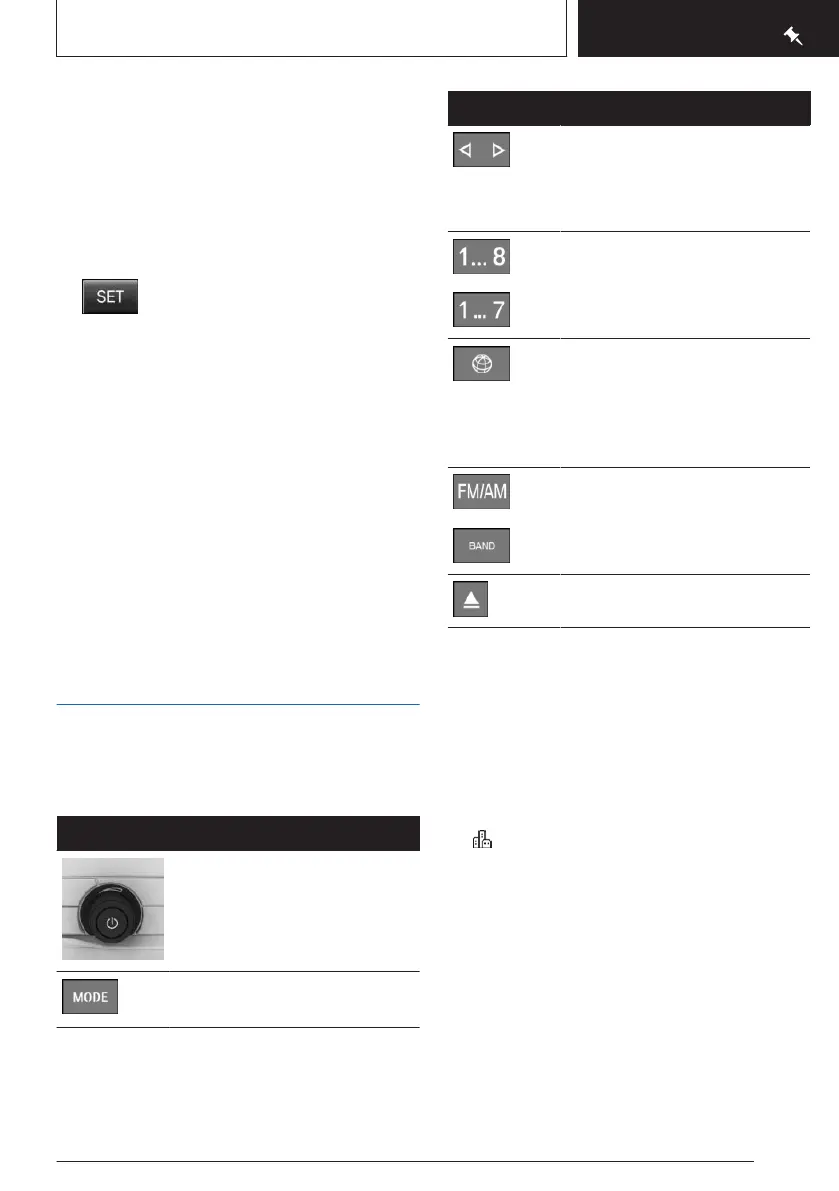
Button
Function
Press: turns sound output on/
off.
Turn: adjusts the volume.
Change the entertainment
source.
Button Function
Press once: changes the sta-
tion/track.
Press and hold: fast forward/
fast rewind the track.
Programmable memory but-
tons.
ConnectedDrive.
Depending on the vehicle
equipment, programmable
memory button 8 is replaced
with this button.
Changeover of wave range/
satellite radio.
Eject CD/DVD.
Navigation destination input
Entering a destination via address
Via iDrive:
State/province
1.
"Navigation"
2. "Enter address"
3. "State/Province?"
4. Select the country from the list.
Entering the address
The address can be entered in any order.
Example: entering the address via the town/
city
1.
"City/Postal code?"
2. Enter the town/city.
Seite 19
Set-up and use
QUICK REFERENCE
19
Online Edition for Part no. 01405A540A1 - II/22







 To Next Page