Selection lists
Concept
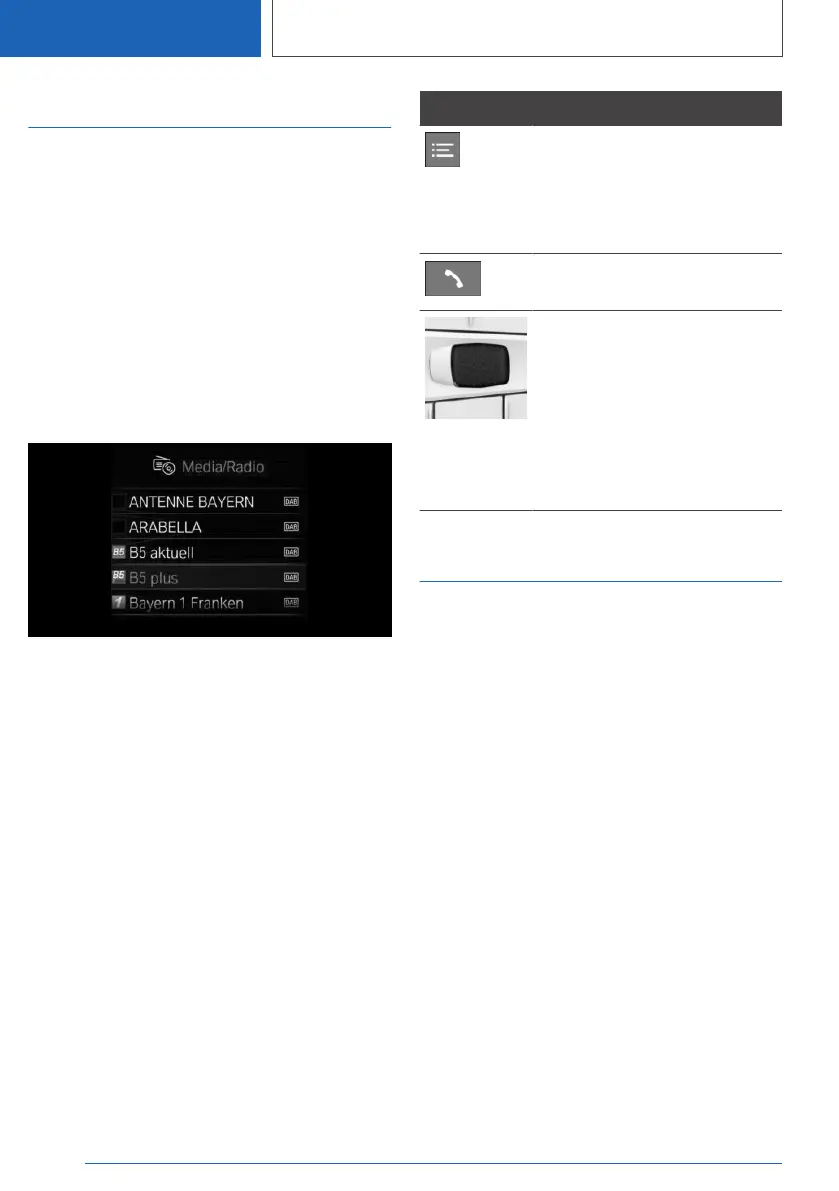
Lists can be displayed and, if necessary, used for
certain functions in the instrument cluster or the
Head-up Display.
▷ Entertainment source.
▷ Current audio source.
▷ List of most recent telephone calls.
If necessary, the corresponding menu will open
on the Control Display.
Display
Depending on the equipment version, the list in
the instrument cluster may differ from the illus‐
tration.
Displaying and using the list
The lists can be displayed and operated using
the buttons on the steering wheel.
Button Function
Change the entertainment
source.
Pressing the button again will
close the currently displayed
list.
Show list of most recent tele‐
phone calls.
Turn the thumbwheel to select
the desired setting.
Press the thumbwheel to con‐
firm the setting.
The list of the current entertain‐
ment source can be displayed
in the instrument cluster again
by turning the thumbwheel.
Trip data
Principle
Values for the trip, such as the average con‐
sumption or trip kilometers, are displayed.
General information
The trip data can be displayed on the Control
Display and in the instrument cluster.
The values can be displayed and reset depend‐
ing on various intervals, such as after refueling.
Display on the Control Display
Overview
The following information is displayed depending
on the equipment and the set interval and driving
mode:
▷ Configured interval for displaying trip data.
▷ Average fuel consumption depending on the
configured interval.
▷ Average speed.
Seite 166
CONTROLS
Displays
166
Online Edition for Part no. 01405A37CC6 - VI/21



 To Next Page