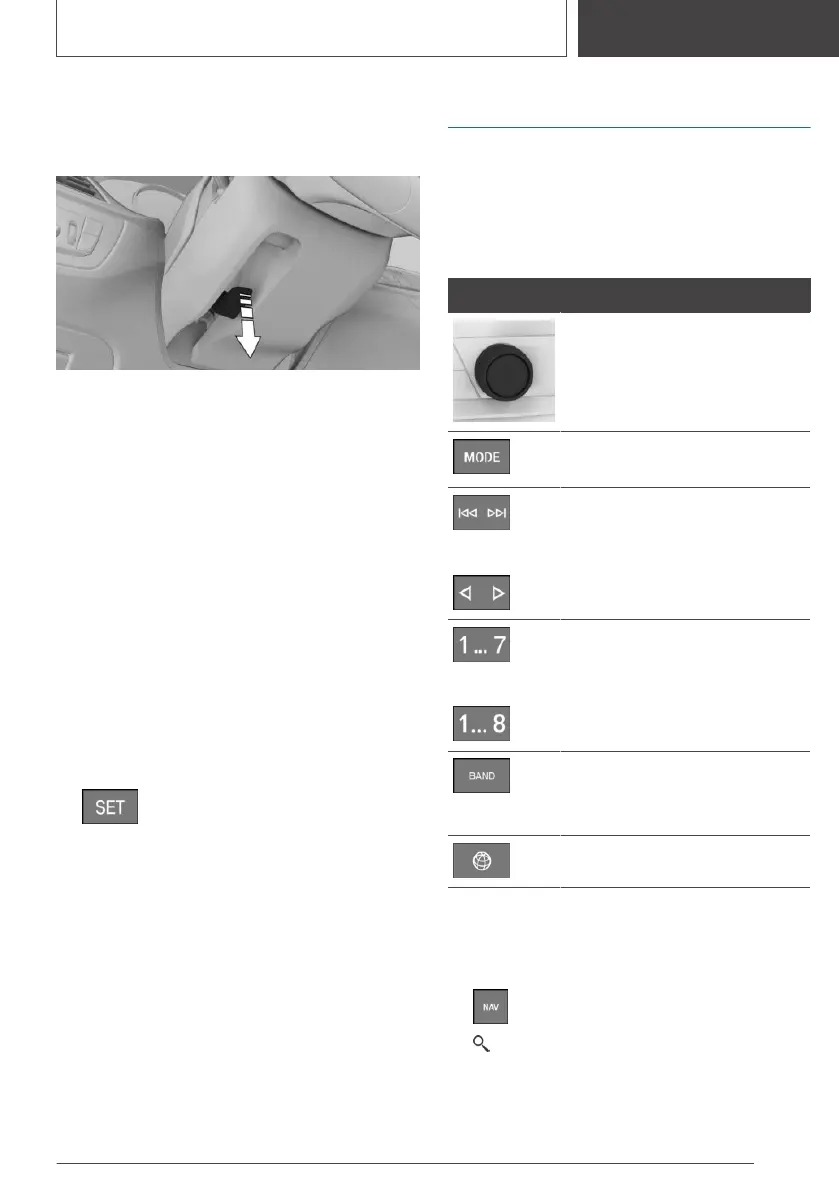
Adjusting the steering wheel
Manual steering wheel adjustment
1. Fold the lever down.
2. Move the steering wheel to the preferred
height and angle to suit your seat position.
3. Fold the lever back up.
Memory function
Principle
The following settings can be stored and, if nec‐
essary, retrieved using the memory function:
▷ Seat position.
▷ Exterior mirror position.
▷ Height of the Head-up Display.
Storing
1.
Set the desired position.
2.
Press the button. The writing on the
button lights up.
3. Press the desired button 1 or 2 at the door
while the writing is lit. A signal sounds.
Calling up settings
Press the desired button 1 or 2.
Infotainment
Radio
Buttons and functions
Depending on the country and equipment ver‐
sion, the radio has the following buttons.
Button Function
Press: turns sound output on/
off.
Turn: adjusts the volume.
Change the entertainment
source.
/
Press once: changes the sta‐
tion/track.
Press and hold: fast forward/
rewind the track.
/
Programmable memory but‐
tons.
Changeover of waveband/satel‐
lite radio.
Changing the waveband.
Menu Apps.
Navigation destination input
Entering a destination via the search
1. Press the button on the Controller.
2. "Where to?"
3. Enter at least two letters or characters.
Seite 21
Set-up and use
QUICK REFERENCE
21
Online Edition for Part no. 01405A37CC6 - VI/21



 To Next Page