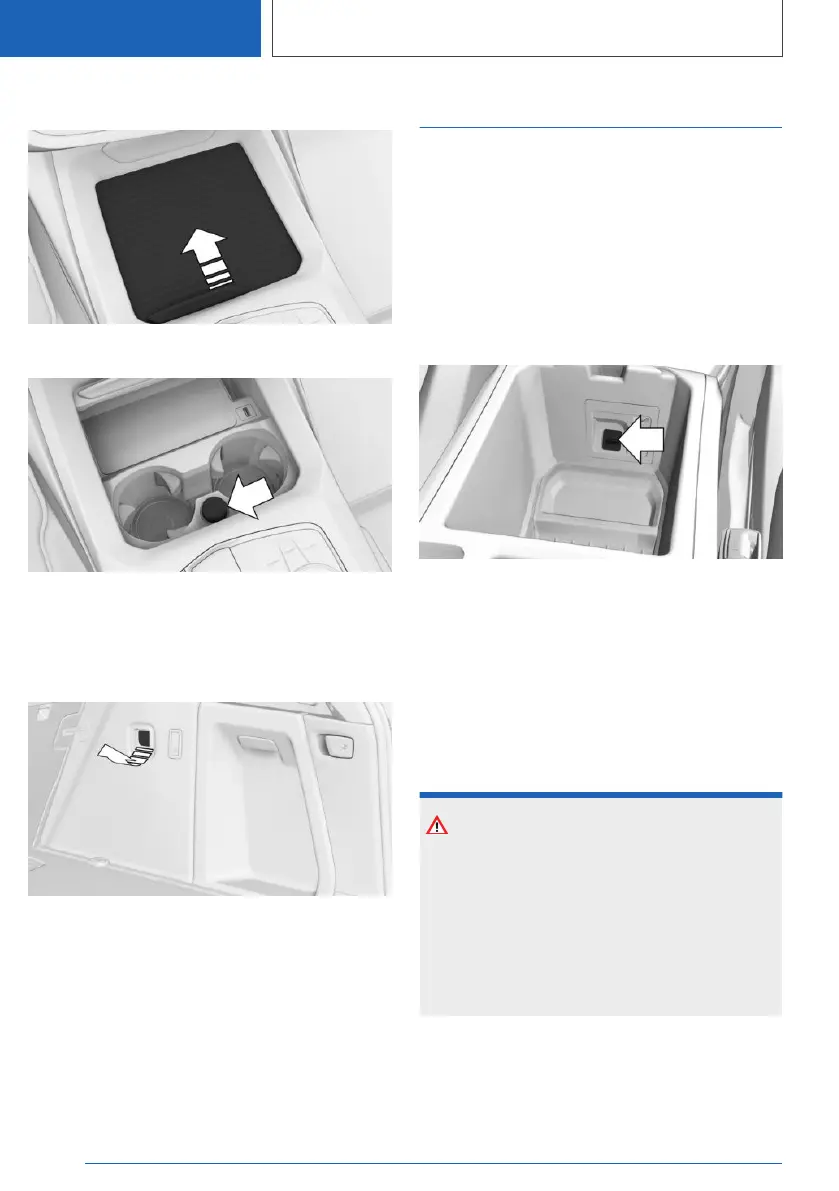
Front center console
Slide the cover forward.
A socket is located between the cup holders.
Pull off the cover.
In the cargo area
A socket is located on the right side in the cargo
area. Unfold the cover.
USB port
General information
Follow the information regarding the connection
of mobile devices to the USB port in the section
on USB connections.
Additional information:
USB connections, refer to page 78.
In the center armrest
A USB port is located in the center armrest.
Properties:
▷ USB port Type C.
▷ For charging mobile devices and for data
transmission.
▷ Charge current: max. 3 A.
In the front center console
NOTICE
Objects in the storage compartment, e.g., large
USB connectors, may block or damage the
cover when it is being opened or closed. There
is a risk of damage to property, among other
potential damage. Make sure that the area of
movement of the cover is clear while opening
and closing it.
Seite 288
CONTROLS
Interior equipment
288
Online Edition for Part no. 01405A37CC6 - VI/21



 To Next Page