81n
OverviewControlsMaintenanceRepairsDataIndex
Digital clock in the MID
Only make entries when the vehi-
cle is stationary – to avoid endan-
gering yourself or other road users.<
Calling up time or date
Press the left side of the button.
Display shows:
You can have the time displayed in 12
or 24 hours.
To change the display:
Press the left side of the button.
If the 12-hour time display is in use,
AM or PM appears after the time.
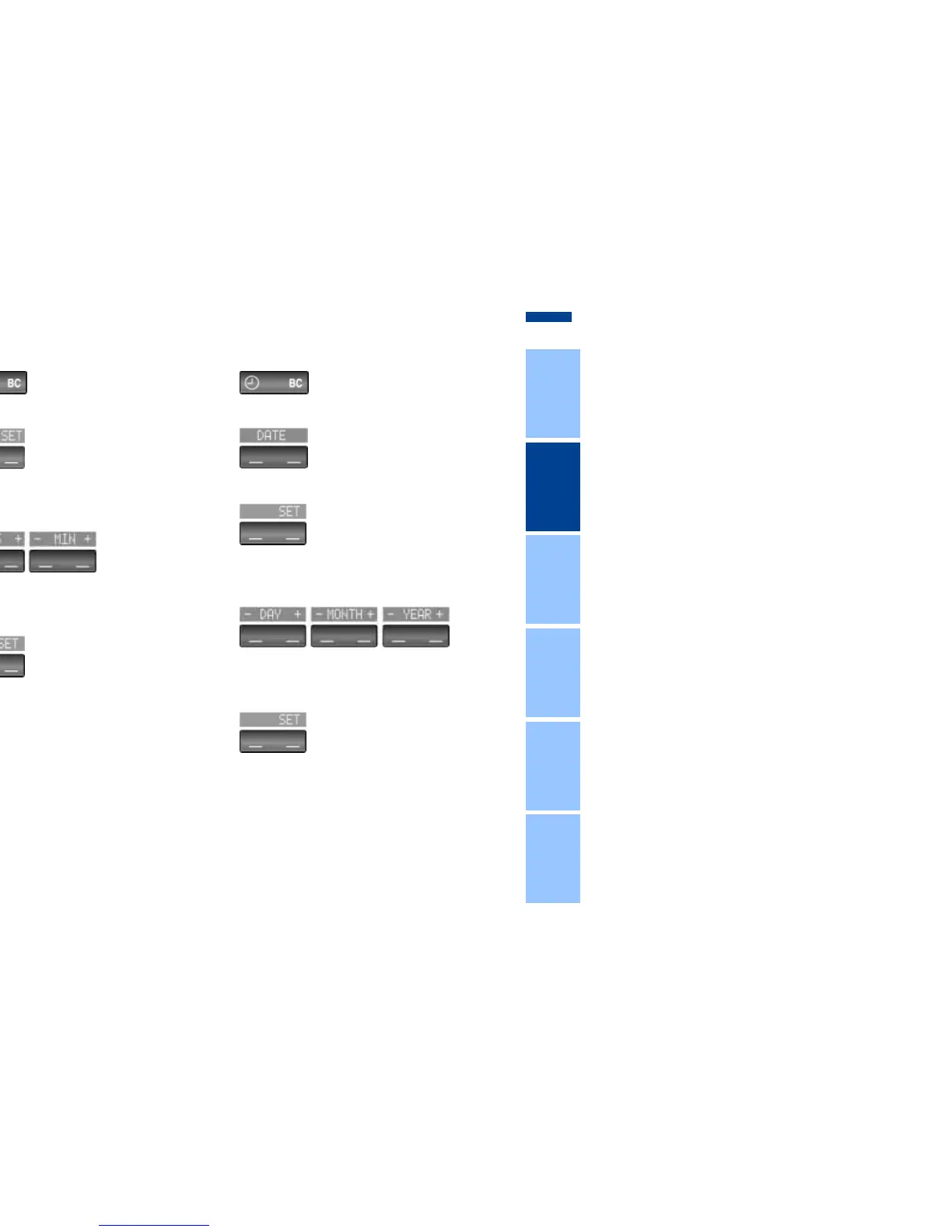
Changing time
Press the left side of the button.
Press the right side of the button:
The dots flash in the display.
To change the setting:
Press on the left/right, or hold the but-
ton down.
To store the entry:
Press the right side of the button.
Changing date
Press the left side of the button.
Press.
Press the right side of the button:
The dots and the DATE display flash.
To change the setting:
Press on the left/right, or hold the but-
ton down.
To store the entry:
Press the right side of the button.
The clock takes leap years into account
and therefore does not have to be reset
manually.



 To Next Page