Displays
Vehicle features and
options
This chapter describes all standard, country-spe‐
cific and optional features offered with the series.
It also describes features and functions that are
not necessarily available in your vehicle, e.g., due
to the selected options or country versions. This
also applies to safety-related functions and sys‐
tems. When using these functions and systems,
the applicable laws and regulations must be ob‐
served.
Instrument cluster
Principle
The instrument cluster is a variable display.
When you change to a different program via Driv‐
ing Dynamics Control, the displays in the instru‐
ment cluster adapt to the respective driving
mode.
General information
Depending on the vehicle equipment, it may be
possible to deactivate the display change in the
instrument cluster via iDrive.
Some of the displays in the instrument cluster
may differ from the illustrations in the Owner's
Manual.
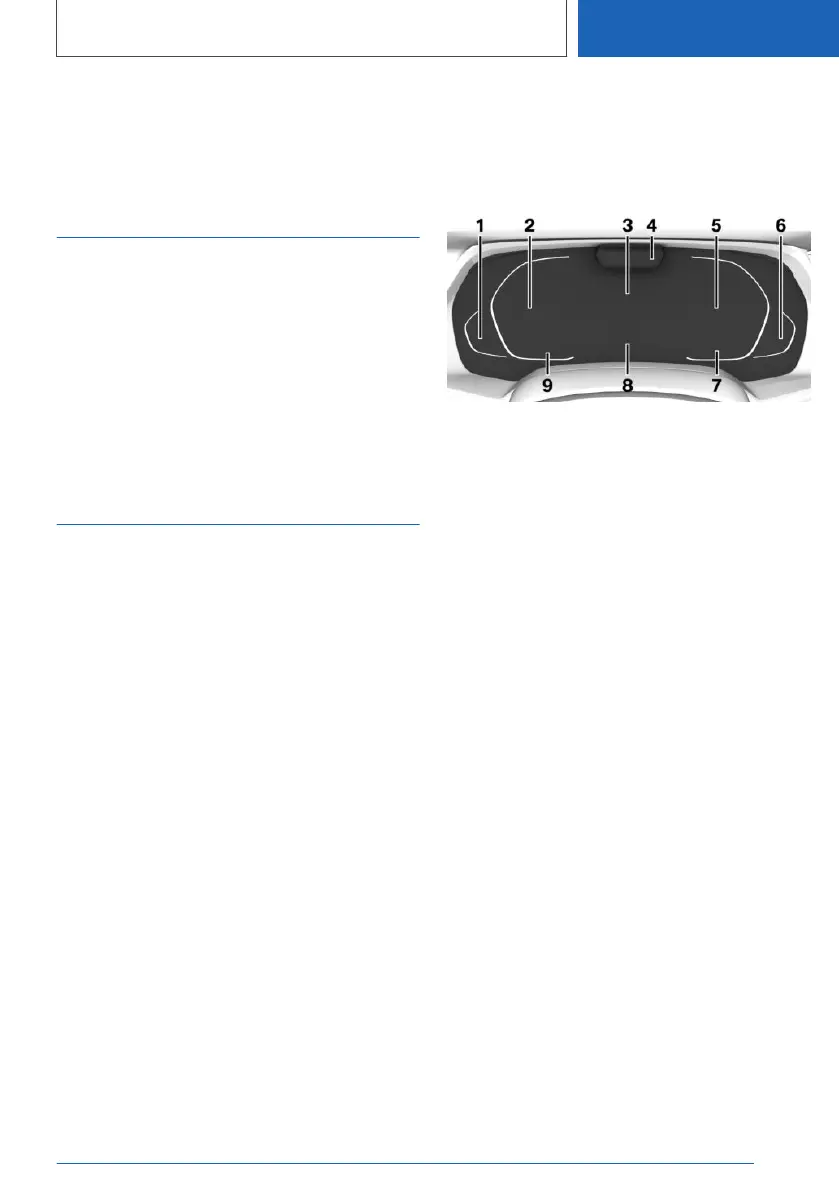
Overview
1 Fuel gauge 168
Range 171
2 Speedometer
3 Central display area 159
Navigation display
4 Depending on the equipment: Driver Atten‐
tion Camera
5 Tachometer 168
Selection lists 174
Widgets 161
Trip odometer, see Trip data 175
ECO PRO displays 341
Power gauge 169
Status, Driving Dynamics Control 144
Transmission display 153
6 Engine temperature 170
7 Outside temperature 170
8 Check Control 162
9 Speed Limit Assistant 242
Speed Limit Info 172
Time 63
Central display area
Depending on the equipment and configuration,
the following is displayed in the central display
area of the instrument cluster:
Seite 159
Displays
CONTROLS
159
Online Edition for Part no. 01405A37D22 - VI/21



 To Next Page