Drive mode D/S
Principle
In Drive mode, all forward gears are automati-
cally changed.
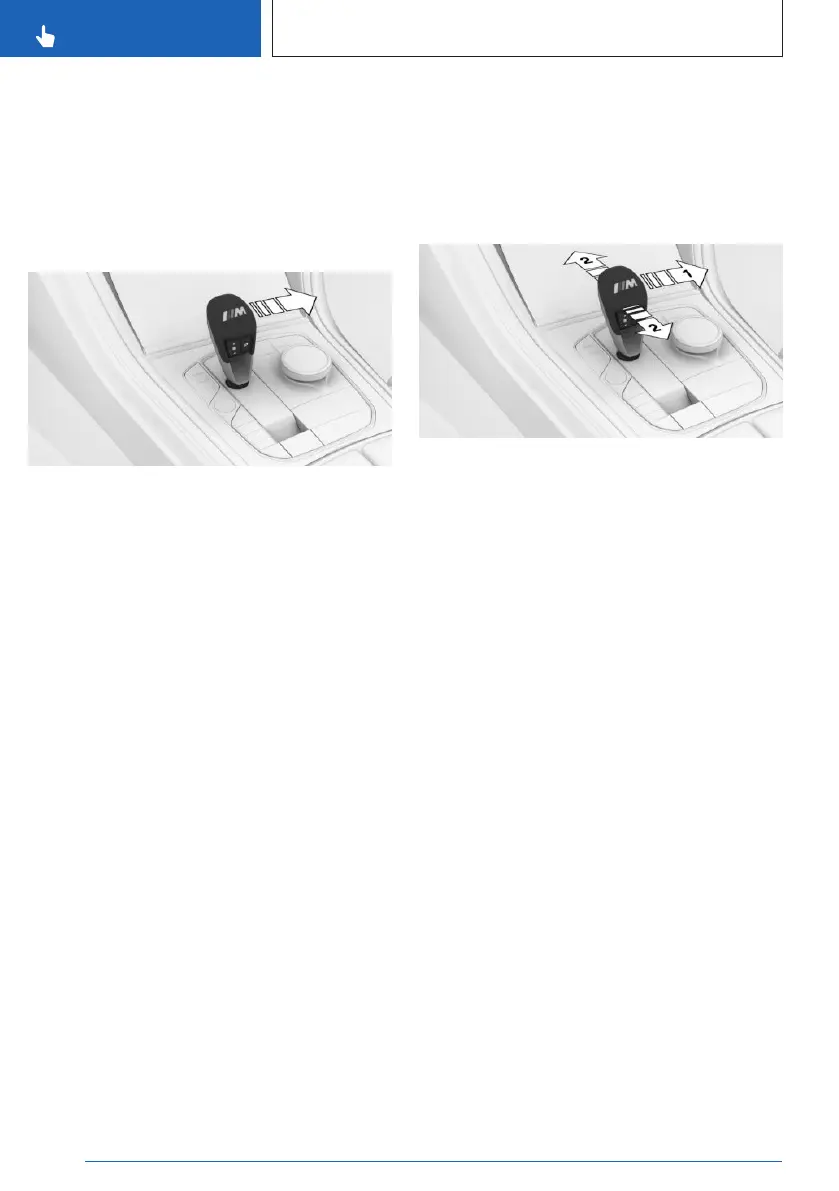
Activating Drive mode
Push the selector lever out of the center posi-
tion in the D/S direction.
Drive mode is activated. The engaged gear is
displayed in the instrument cluster along with a
D, e.g., 1 D.
Deactivating Drive mode
Push the selector lever out of Drive mode
in the D/S direction. Sequential mode is acti-
vated.
The engaged gear is displayed in the instru-
ment cluster, e.g., 1.
Sequential mode D/S
Principle
In sequential mode, it is possible to shift gears
manually using the selector lever or the shift
paddles without letting off the gas.
General information
Shortly before falling below a gear-dependent
minimum speed, the transmission is automati-
cally downshifted.
Once the maximum engine speed is attained,
upshifting is not automatically performed in
sequential mode and the kickdown is deacti-
vated.
It is also possible to drive off in 2nd gear;
for instance, on icy roads.
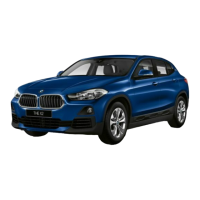
Activating sequential mode
Push the selector lever out of Drive mode in
the D/S direction, arrow 1, or shift via the selec-
tor lever, arrows at 2.
Sequential mode is activated. The engaged
gear is displayed in the instrument cluster, e.g.,
1.
Deactivating sequential mode
Push the selector lever out of the center po-
sition in the D/S direction. Drive mode is acti-
vated.
The engaged gear is displayed in the instru-
ment cluster along with a D, e.g., 1 D.
Gear change
Principle
Manual gear-shifting is possible via the shift
paddles or the selector lever in sequential
mode.
The shift paddles on the steering wheel allow
you to change gears quickly while keeping
both hands on the steering wheel.
Seite 124
CONTROLS
Driving
124
Online Edition for Part no. 01405A8A608 - VI/23



 To Next Page