Functional requirements
▷ Carry the vehicle key with you, e.g., in your
pants pocket.
▷ Automatic unlocking and locking must be
activated in the settings.
▷ The drive-ready state must be turned off.
▷ If the vehicle has been in the idle state for
several days, contactless unlocking/locking
will only be available after the vehicle has
been driven.
Additional information:
Settings, refer to page 91.
With the Key Card
Principle
The Key Card is a chip card on which the digi-
tal key is installed. The Key Card can be used
to unlock and lock the vehicle.
Additional information:
Key Card, refer to page 85.
General information
The Key Card is available with Comfort Access.
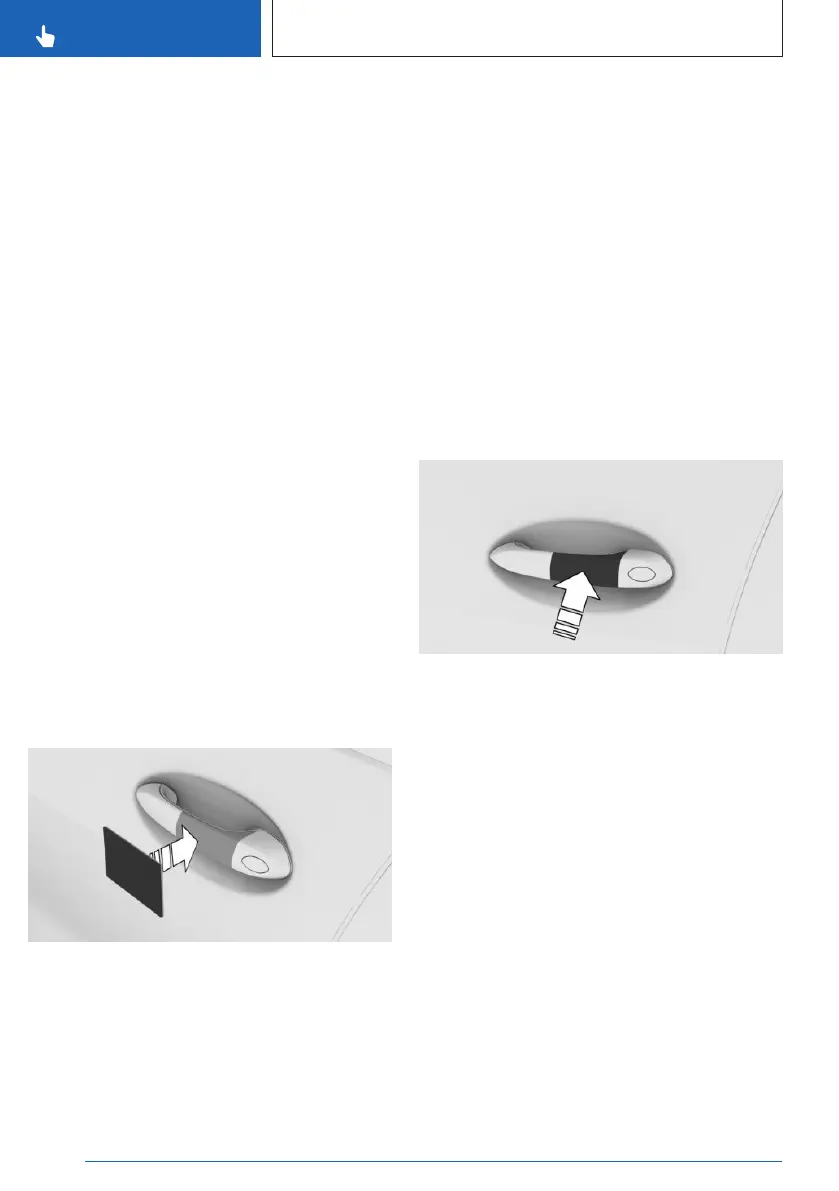
Locking/unlocking the vehicle
Hold activated Key Card directly on the center
of the external door handle of the driver's door.
When locking the vehicle with the Key Card,
make sure that all doors and the trunk are
closed.
If the Key Card is not detected, slightly change
the position of the Key Card and repeat the
procedure.
With the BMW Digital Key
Principle
Depending on vehicle equipment and national-
market version, a digital key can be installed
on a compatible smartphone and used to un-
lock and lock the vehicle.
Additional information:
BMW Digital Key, refer to page 86.
Locking/unlocking the vehicle
Hold the near field communication antenna of
the smartphone directly and centered on the
external door handle of the driver's door. The
position of the near field communication an-
tenna depends on the smartphone model.
When locking the vehicle with the smartphone,
make sure that all doors and the trunk are
closed.
Frequently Asked Questions
What precautions can be taken to be able to
open a vehicle, despite accidentally locking in
the vehicle key?
▷
The app’s remote services offer the option
to lock and unlock a vehicle.
Seite 82
CONTROLS
Opening and closing
82
Online Edition for Part no. 01405A8A608 - VI/23



 To Next Page