2. Set Cycle Time ‘OFF’ Time
2.1 When the programmed time exceeds 1 hour
Complete the ‘OFF’ time setting using step 1.1 as a template.
2.2 When the programmed time is less than 1 hour
Complete the ‘OFF’ time setting using step 2.1 as a template.
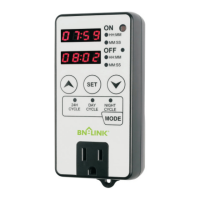
After completing the setup, the device will display a countdown
according to the set "ON" and "OFF" times.
Tips
When any digit is flashing, extended press or , the digits
can be changed quickly.
When any digit is flashing, simultaneously press and , the
current digits is restored to 00.
If you operate while setting the ‘ON’ duration time, all the settings
of the ‘ON’ duration time will be restored to 00;
if you operate while setting the ‘OFF’ duration time, all the settings
of the ‘OFF’ duration time will be restored to 00.
-4-


 To Next Page