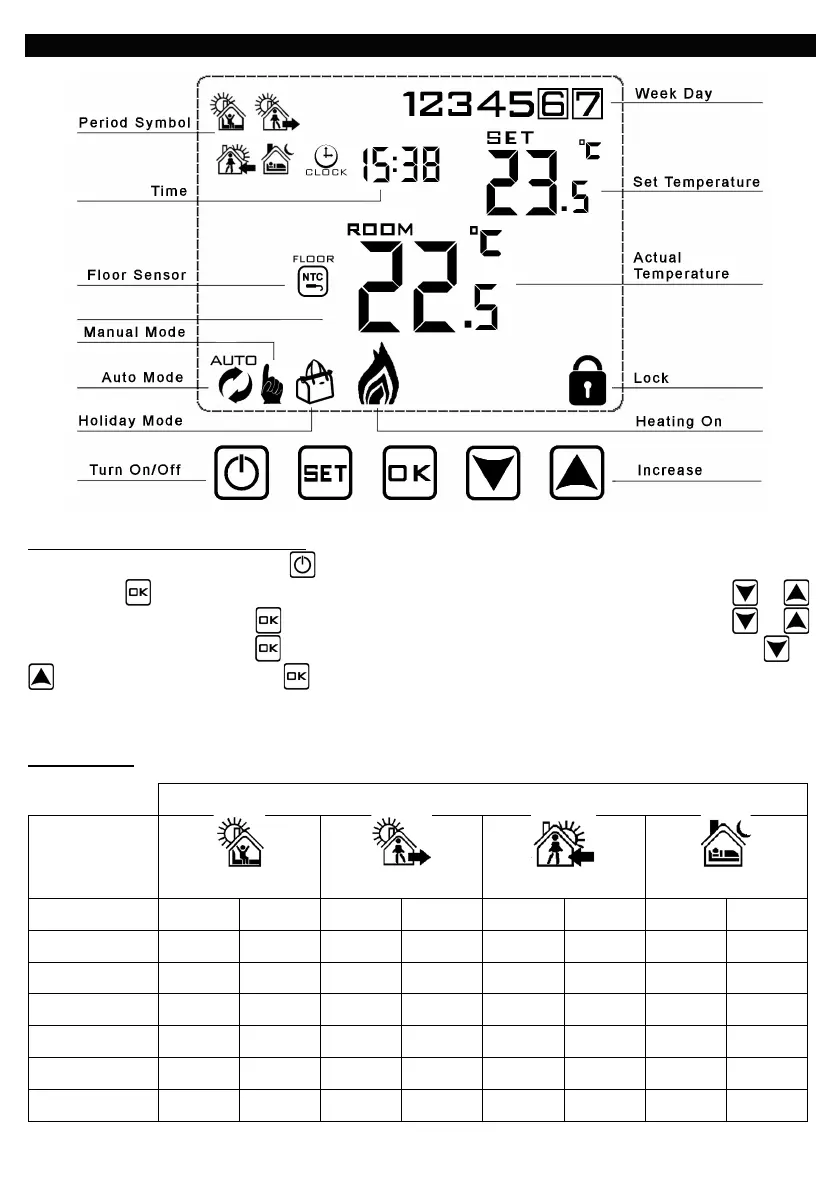
2. OPERATING GUIDE.
To Set Time and Week Day Number
a) Turn thermostat on by pressing button.
b) Press the button and the minutes will start to flash. Adjust the minutes by pressing the or
buttons. When correct, press button and the hours will flash. Set these by pressing the or
buttons. When correct, press button and the day number will flash. Set this by pressing the or
buttons. When correct, press . Note that Monday is 1, Tuesday 2 etc. If you don’t press a button
for 5 seconds display returns to standard mode and you will need to repeat section b.
Programming - The controller is preset to the following times and temperatures:-
Period
Day


 To Next Page