Model 670C Berkeley Nucleonics Corp. 22 of 96
If you are in a sub-menu page, use this button to return to the main page.
Use this button to send an internal trigger to the instrument.
Use this button to start and stop the signal generation. If the button is on and
green the instrument is running while if it is off the instrument is stopped.
Pushing the button will change the instrument state.
Once the virtual numeric keypad will be opened, use this button to move to the left
the digit selection cursor.
Once the virtual numeric keypad will be opened, use this button to move to the right
the digit selection cursor.
Use this button to disable the touch screen.
Use this button to set the high voltage level or the amplitude of the waveform.
Use this button to set the period or the frequency of the waveform.
Use this button to switch between AFG mode and AWG operating mode.
Use this button to set the low voltage level or the offset of the waveform.
Use this button to open the Settings page
Use this button to change the output selection in the user interface
Use this button to turn off all the outputs.
Use this button to restore the default settings.
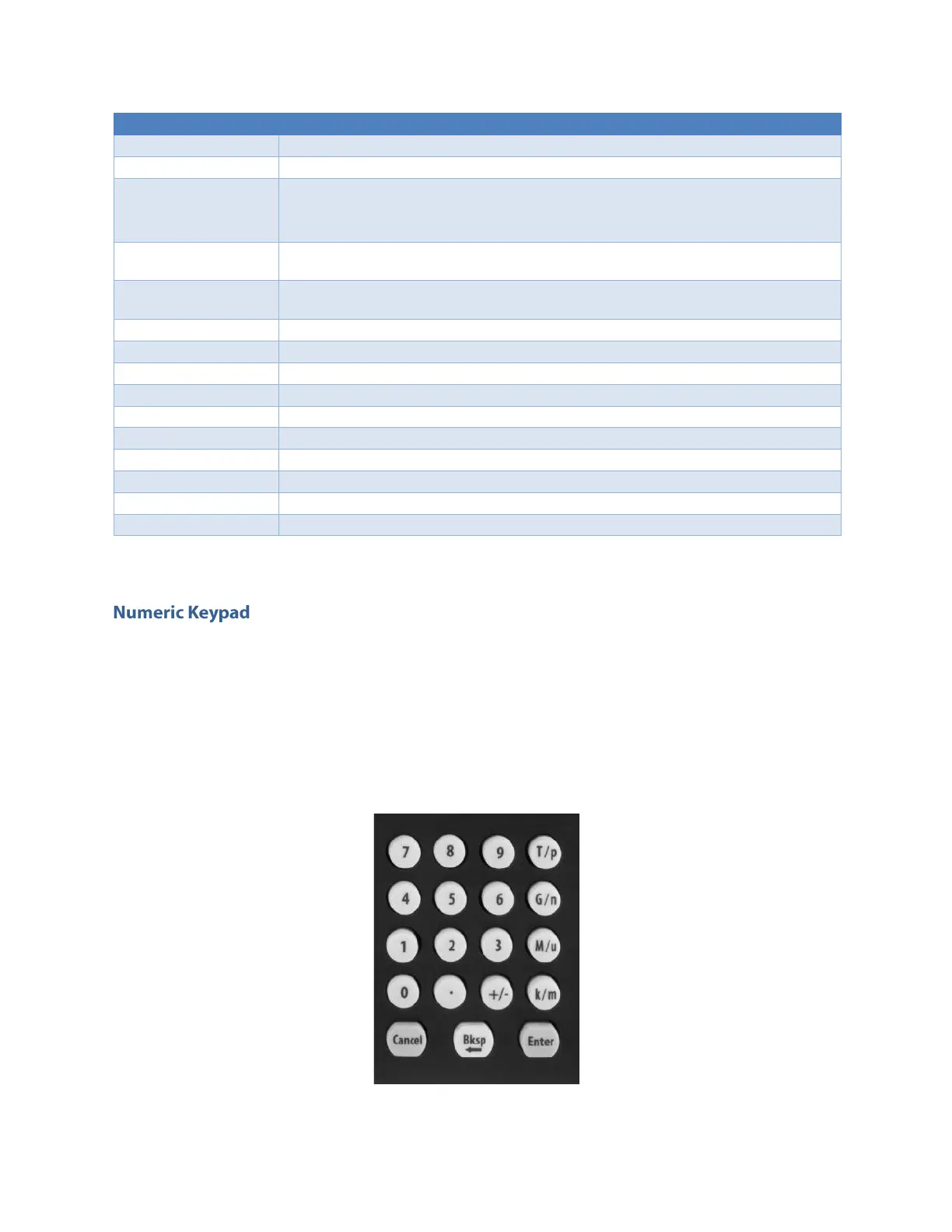
The physical numeric keypad lets you to set the parameter value and their measure unit.
Once a parameter to be edited is selected by using the touch panel or the soft keyboard each number
pressed in the keypad will be displayed in the display. The Bksp key is provided for deleting erroneous
key presses. The [+/-] key will toggle the sign of the number being entered and may be pressed after
terminating the entry. After the sign and the numeric portion of the desired value have been entered,
the pressing of the multiplier button applies the parameter. The Enter button closes the virtual keyboard
and will apply the entered value.


 To Next Page
 Loading...
