Model 670C Berkeley Nucleonics Corp. 29 of 96
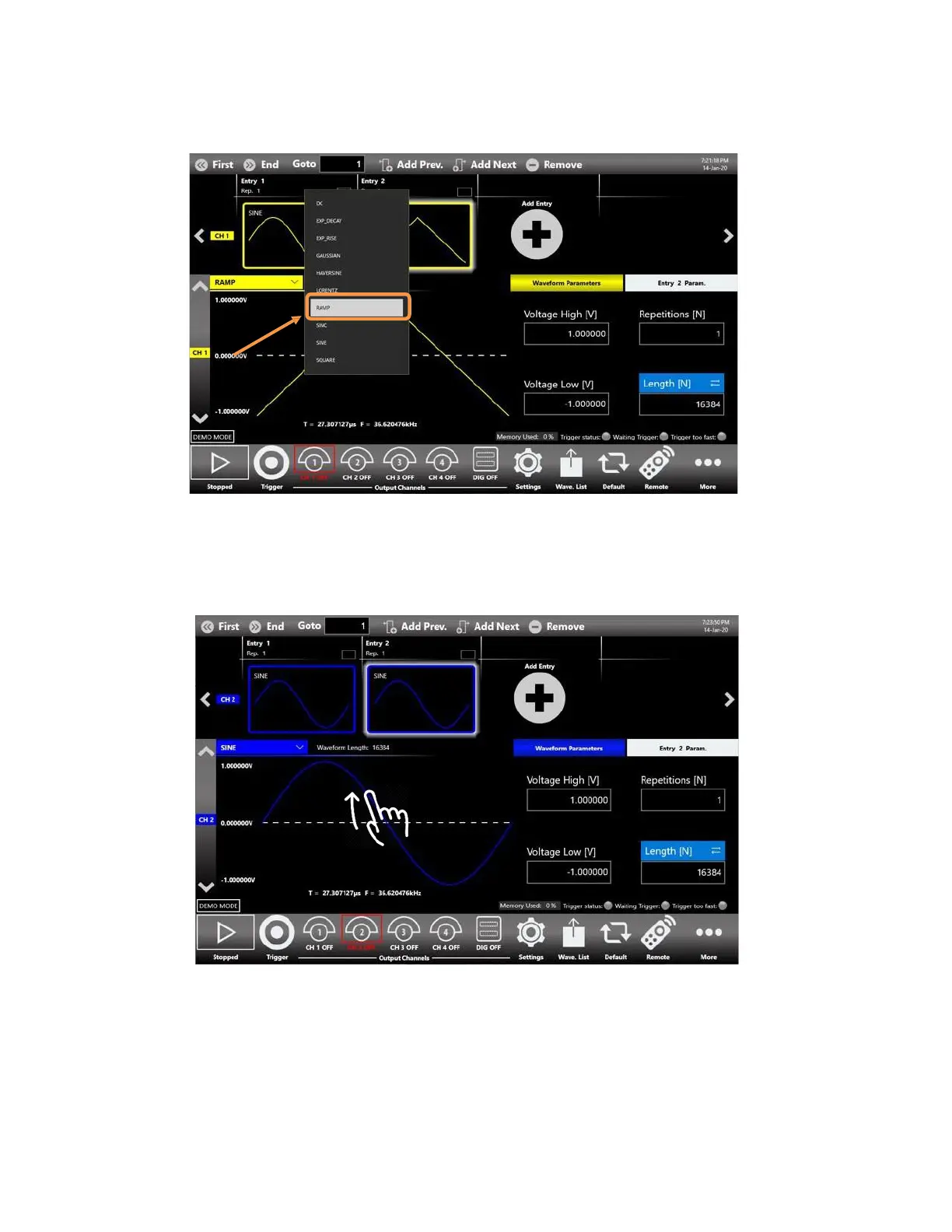
9. Touch the dropdown waveform list and change it from Sine to Ramp.
10. Swipe down to switch from Channel 1 to Channel 2. In the Channel 2 by default the two
sequencer entries will be two Sine Waveforms.
11. Enable the output channels by pressing the CH1 and CH2 buttons located in the bottom of the
application so that they are no more grayed out.



 To Next Page