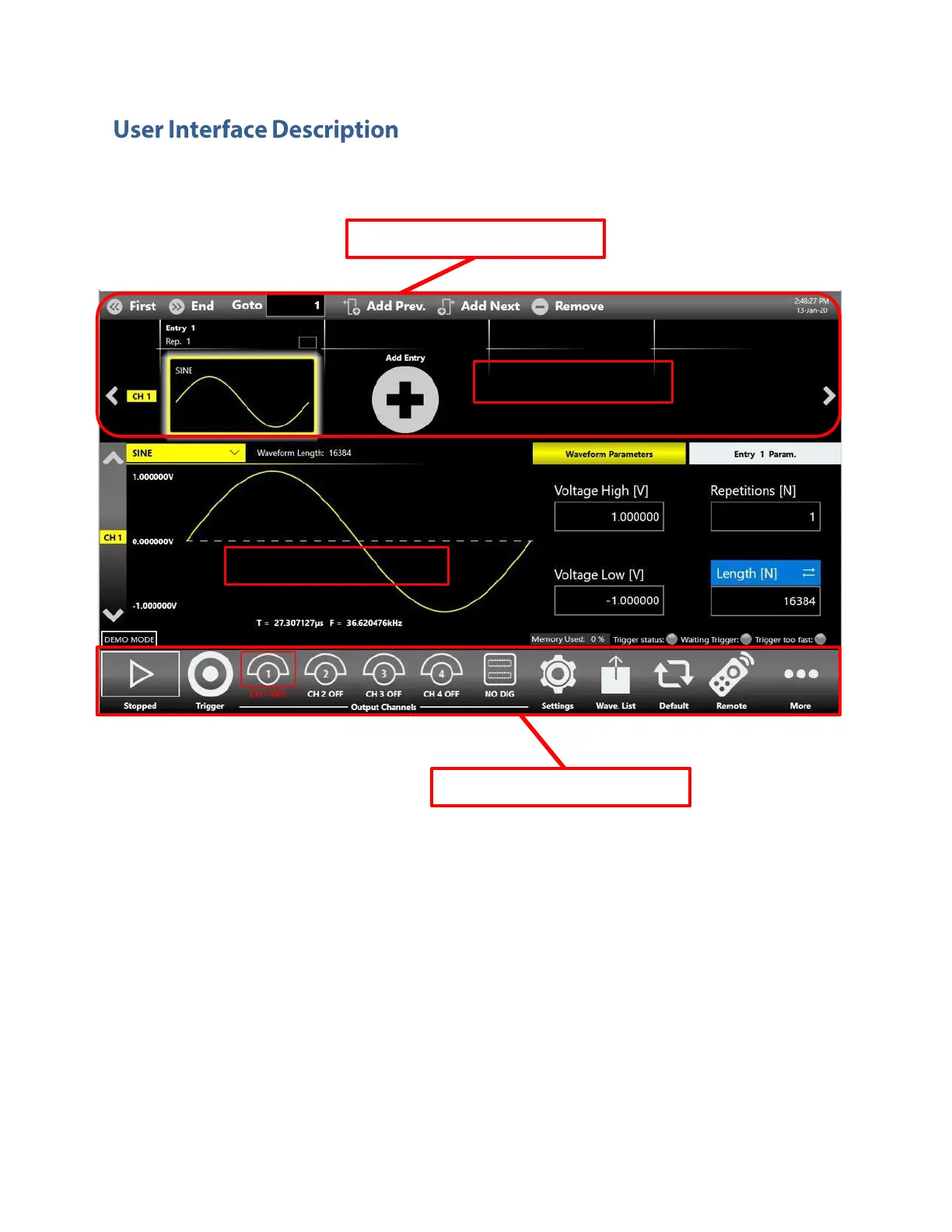
The Simple TrueArb software environment provides an easy access to all instrument functionalities and
parameters.
The TrueArb user interface consists of four main elements:
• Sequencer Area: the sequencer contains a list of entries that the user can add/remove to
create its own waveform scenario. Each entry can be repeated or changed in length. The
sequencer is common to all channels.
• Sequencer Toolbar: this bar contains elements that are used to navigate, add and remove
the sequencer items that will be described below.
• Waveform Area: It contains the Waveform Graph and the Waveform Parameters related to
the selected entry.
• Command Bar: in this bar there are elements to control the instrument operations, to
modify the instrument settings and to manipulate waveforms.



 To Next Page