Model 670C Berkeley Nucleonics Corp. 35 of 96
As mentioned, the display is 7” capacitive touch screen display and you can use the gestures like in a
mobile phone:
If you use the Swipe up or down gesture on the Waveform Area you can switch between
the Output Channel 1 and Output Channel 2 page.
If you use the Swipe left or right gesture on the Sequencer Area you can navigate through
the sequencer entries.
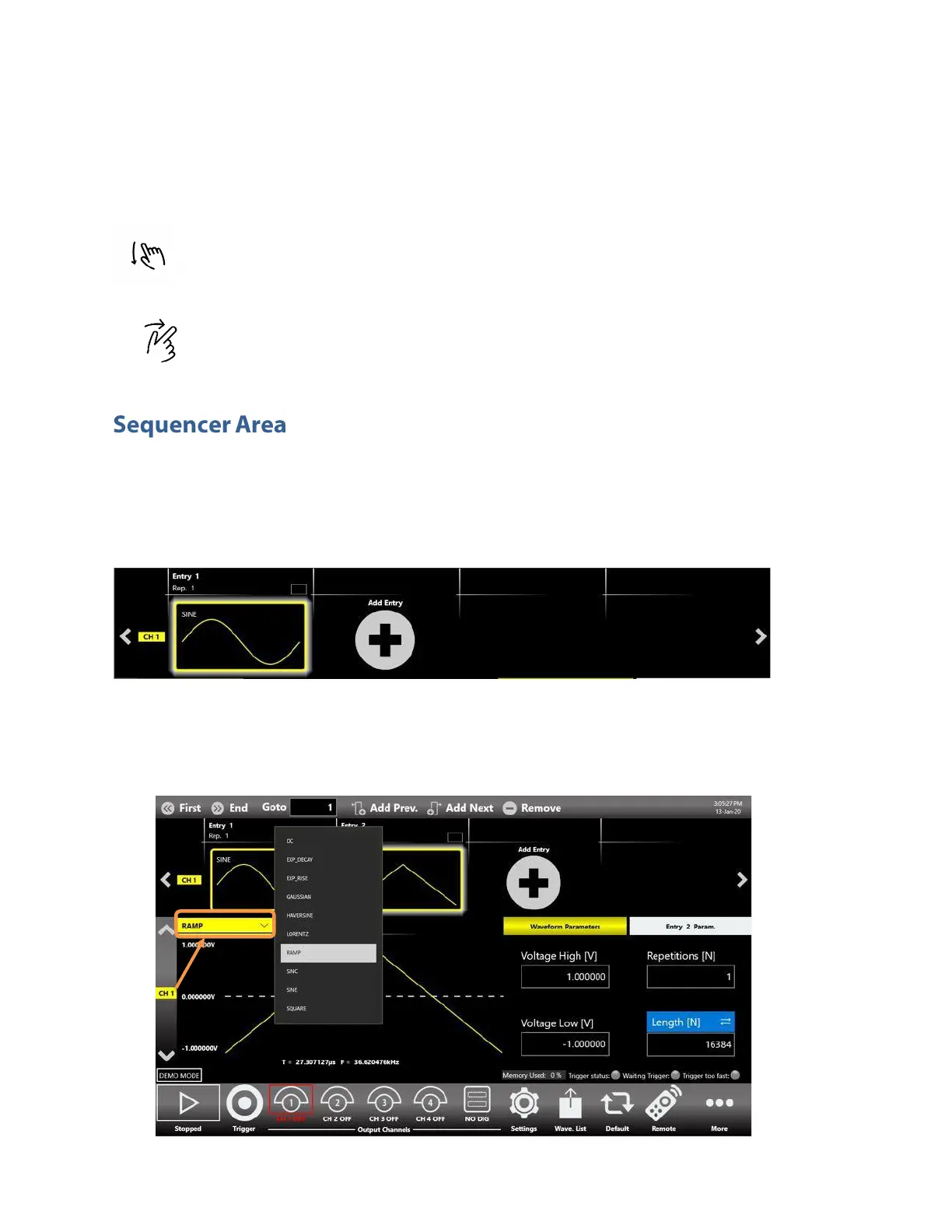
The sequencer starts by default with a single entry with a Sine Waveform. You can touch on the “Add
Entry Button” to insert a new entry into the sequencer.
The TrueArb inserts by default a DC waveform into the new Entry.
It is possible to modify the waveform of an entry of the sequencer by touching on the waveform graph
or on the name of the waveform. A dropdown list will open showing a list of all the waveforms available
in the “Waveform List” (predefined or imported).


 To Next Page
 Loading...
