Model 670C Berkeley Nucleonics Corp. 64 of 96
it could be not synchronous with the output waveform.
• Fixed To Low Voltage/ Fixed To High Voltage: the marker level is fixed to low level or high level.
• Replicate Digital 0: it means that The Marker Out will behave like the Digital line 0 output. This
choice is available only when the digital option is installed and the Digital Channels parameter
(Channel Settings -> DIG page) is > 0.
Marker Skew[s]: defines the skew between the marker and the analog channels. The resolution is 78 ps.
The edited value is automatically rounded to the closest value that the hardware can implement.
Voltage Level[V]: it sets the Marker high level Voltage. The Low level is fixed to 0V.
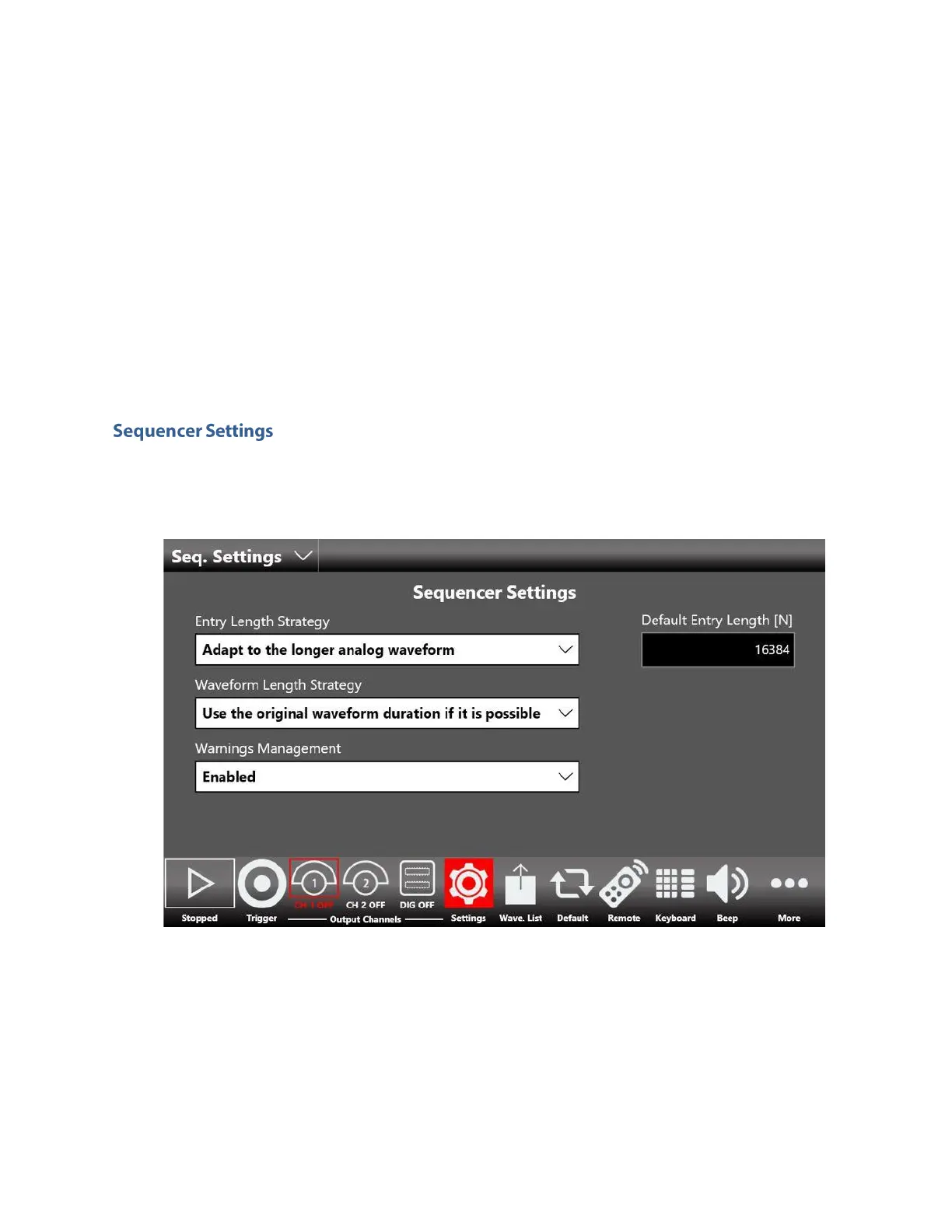
The sequencer setting page contains some parameter to define the strategy to manage the length of the
sequencer entries in relationship with the length of the channel waveforms defined for each entry.
Entry Length Strategy:
• Adapt to the longer analog waveform: if this option is selected the length of an entry of the
sequencer by default will be equal to the length of the longer channel waveform, among all
analog channels, assigned to the entry.
• Adapt to the shorter analog waveform: if this option is selected the length of an entry of the
sequencer by default will be equal to the length of the shorter channel waveform, among all
analog channels, assigned to the entry.



 To Next Page
 Loading...