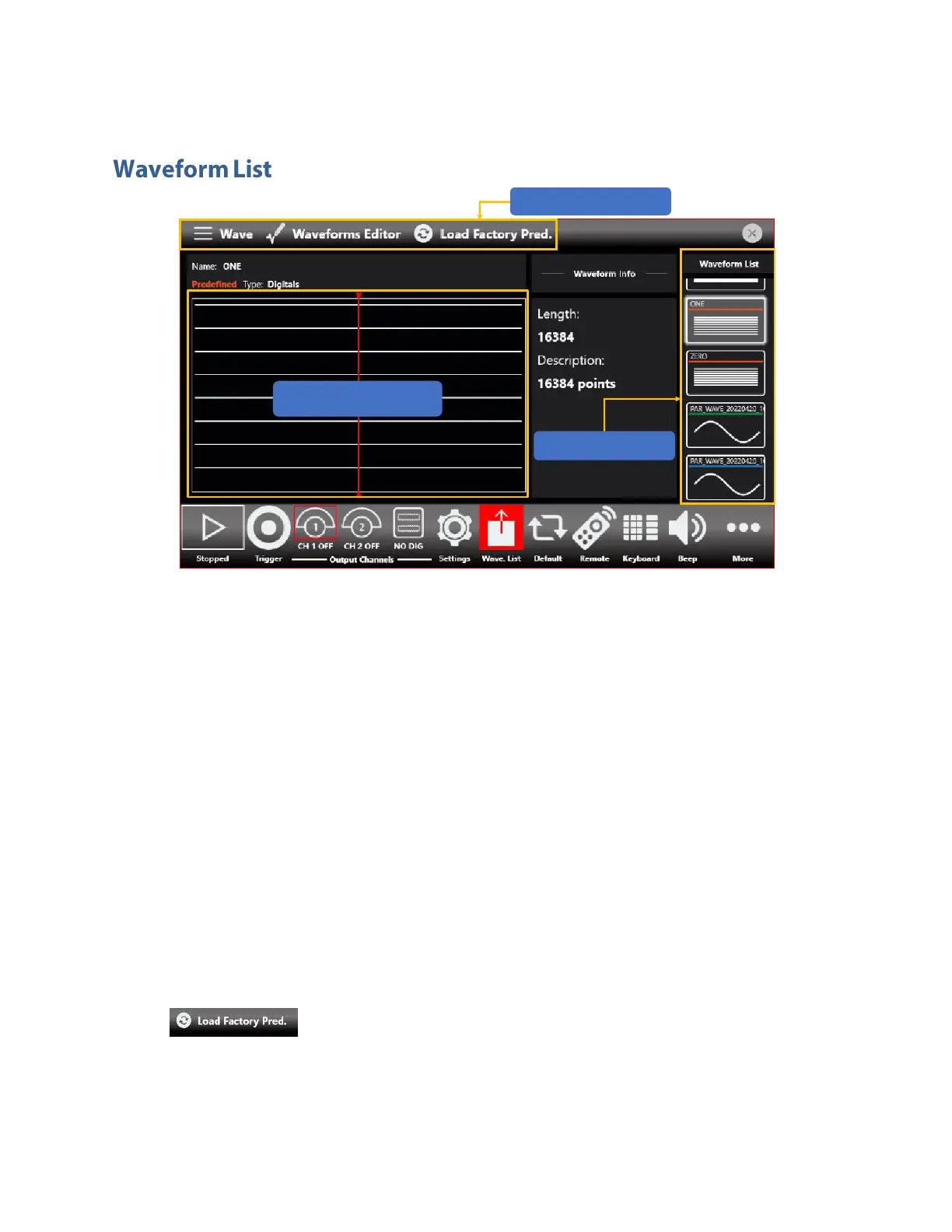
The Waveform List consists of three main elements:
• Shortcuts: in this area you can access a plethora of options dedicated to managing the
waveform list.
• Graph Area: this area displays a graphical rendition of the current selected waveform.
• Waveform List: in this area you can scroll between all stored waveforms.
The 670C series contains by default a set of Factory Predefined Waveforms that are common to all
configurations.
The Predefined Waveforms sport an orange line under their names, Imported Waveforms instead sport
a blue underline while Parametric Waveforms sport a green underline.
Please note that:
• You can build your own set of Predefined Waveform promoting waveforms in the list to
Predefined ones.
• You can delete a Predefined waveform for the exception of ZERO for digital waveforms and SINE
and DC level for analog waveforms.
• If you want to restore the Factory Predefined waveforms, you should press the
button. Please note that the imported waveforms previously promoted as
Predefined will not be deleted


 To Next Page
 Loading...
