Model 670C Berkeley Nucleonics Corp. 88 of 96
• Set the GPIB address. A unique device address must be assigned to each device on the bus. The
default setting for the GPIB configuration is Address [N] 20. If you need to change the GPIB
address set it in Address [N] parameter.
The USBTMC protocol allows USB devices to communicate using IEEE488 style messages. This lets you
run the SCPI commands using USB hardware:
• Connect an appropriate USB cable (A MALE - B MALE) between the USBTMC port of the
Model 670C (on the rear panel) and your Client-PC.
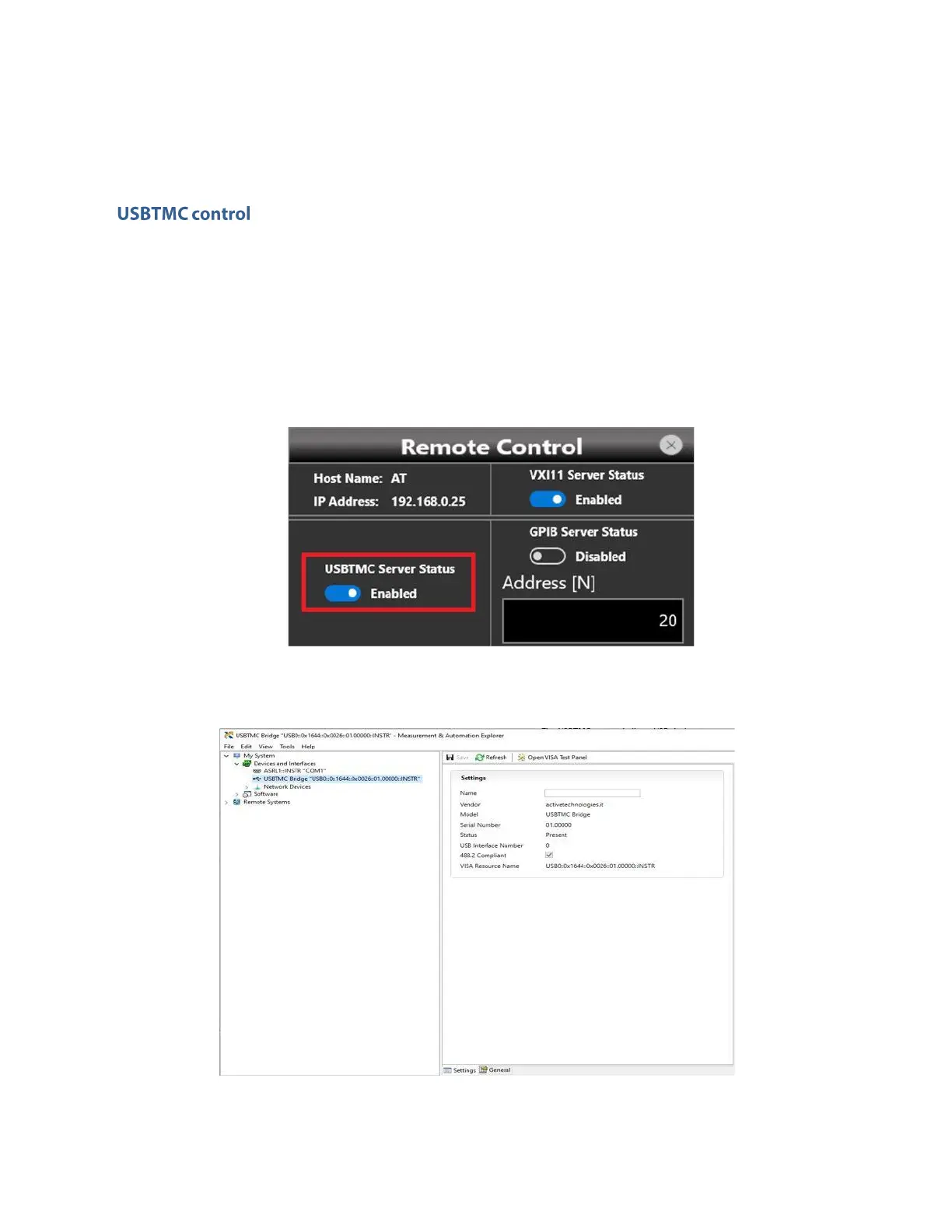
• In Remote Control Panel verify that USBTMC Server Status is Enabled; if not, press the button to
enable it.
• If you are using NI-VISA software, launch the NI-MAX tool on the Client-PC. After a short time a
USBTMC device will be recognize.
Now you can send the SCPI commands to the Model 670C resource using the NI Visa Test Panel.


 To Next Page
 Loading...
