
EasyManua.ls Logo

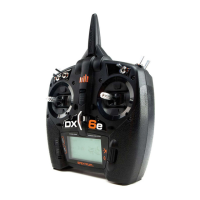
BNF DX6E User Manual

BNF DX6E
47 pages
To Next Page IconTo Next Page
Page #1 background imageLoading...
Page #1 background image
Instruction Manual • Bedienungsanleitung • Manuel d’utilisation • Manuale di Istruzioni
6e
6
®
®

Table of Contents

Questions and Answers:

BNF DX6E Specifications

General IconGeneral
Channels6
ModulationDSMX/DSM2
Frequency2.4GHz
TelemetryYes
Trainer PortYes
Battery4 AA batteries
Model Memory250
DisplayLCD
Compatible ReceiversDSMX/DSM2
Frame Rate11/22 ms

Summary

Safety and General Operation

Pilot Safety Guidelines

Essential safety rules for flying models, including battery checks, range checks, and avoiding spectators.

Battery and Charging Precautions

Battery and Charging Warnings

Critical warnings regarding unattended charging, battery care, and potential fire hazards.

Transmitter Battery Installation and Charging

Charging the Lithium Ion Battery

Instructions for safely charging the optional Li-Ion battery pack.

SD Card Management

Registering Transmitter with Spektrum Online

Process to export serial number to SD card and register the transmitter online.

AirWare Software Updates

Updating AirWare Software Overview

Information on updating the transmitter's firmware via SD card.

Automatic Software Update Process

Steps to automatically install AirWare software updates from spektrumrc.com.

Manual Software Update Process

Steps to manually install AirWare software updates using an SD card.

Receiver Binding Procedures

Binding with Receiver and Battery

Step-by-step guide for binding the AR610 receiver using a separate battery.

Binding with Receiver and ESC

Step-by-step guide for binding the AR610 receiver using the ESC.

Receiver Power System Requirements

Recommended Power System Testing

Guidelines for testing power systems to ensure adequate voltage to the receiver.

Failsafe Position Programming

SmartSafe Failsafe Operation

Details on the SmartSafe failsafe feature for throttle control.

Hold Last Command Failsafe

How to program and test the Hold Last Command failsafe.

Preset Failsafe Configuration

Procedure for setting custom failsafe positions for all channels.

Model Type Programming Guide

System Setup and Configuration

Model Type Selection

Choosing between Airplane, Helicopter, Sailplane, or Multirotor model types.

System Setup - Model Management

System Setup - Channel Configuration

System Setup - Model Utilities

System Setup - Utilities and Warnings

System Setup - Telemetry Features

Telemetry Auto-Configuration

Enabling the transmitter to automatically detect and configure new telemetry sensors.

System Setup - Telemetry and Binding

Transmitter Binding Procedure

System Setup - Wireless Trainer

Wireless Trainer Functionality

Overview of the wireless trainer system for connecting multiple transmitters.

DX6e Wireless Trainer Operation

Step-by-step guide for operating the wireless trainer system.

System Settings - Core Configuration

Transmitter Mode Selection

Changing the gimbal stick mode (e.g., Mode 1, 2, 3, 4).

Battery Alarm Configuration

Setting transmitter battery type and low voltage alarm limits.

System Setup - Serial Number and Export

Transmitter Calibration Procedure

Calibrating Transmitter Controls

Step-by-step guide to calibrate gimbal sticks after changing modes.

System Setup - SD Card Model Transfer

Importing Models from SD Card

Copying model files from an SD card to the transmitter.

Importing All Models from SD Card

Bulk import of all model files from an SD card.

Exporting Single Model to SD Card

Saving a single model file from the transmitter to an SD card.

Exporting All Models to SD Card

Saving all model files from the transmitter to an SD card.

Software Update and Installation

AirWare Software Update Overview

Important notices and precautions before updating AirWare software.

Automatic Software Update Installation

Procedure for installing the latest AirWare software automatically.

Manual Software Update Installation

Procedure for manually installing AirWare software from an SD card.

Function List - Servo Configuration

Servo Travel Adjustment

Setting the overall travel or endpoints for servo arm movement.

Servo Sub-Trim Adjustment

Adjusting the servo travel center point for precise centering.

Servo Reverse Functionality

Reversing the direction of servo movement for correct control response.

Function List - Control Adjustments

Dual Rate and Exponential Settings

Adjusting control sensitivity and response for specific channels.

Differential Control Setup

Modifying differential throw for aileron control surfaces.

Throttle Cut Function

Assigning a switch to stop the engine or motor.

Throttle Curve Adjustment

Optimizing throttle response with adjustable curve points.

Function List - Mixing and Trim

V-Tail Differential Configuration

Adjusting differential throw for V-Tail aircraft.

Camber Preset Settings

Programming ailerons, flaps, and elevator for specific flight modes.

Camber System Configuration

Enabling in-flight camber adjustment and braking for sailplanes.

Swashplate Settings

Assigning swash type and adjusting swashplate mixes for helicopters.

Mixing Functions Overview

Using mixes to affect multiple channels simultaneously.

Function List - Advanced Features

Function List - Telemetry and Monitor

Airplane (Acro) Model Setup

Airplane (Acro) Model - Control Surface Mixing

Flap System Programming

Enabling flap control and elevator mixing for aircraft.

Helicopter Model Setup

Pitch Curve Adjustment

Optimizing collective pitch response in five flight modes.

Helicopter Model - Control Adjustments

Gyro Gain Configuration

Assigning gyro gain values to switches or flight modes.

Sailplane Model Setup

Sailplane Model - Mixing

Multirotor Model Setup

Multirotor Model - Control Adjustments

Physical Transmitter Adjustments

Physical Transmitter Adjustments - Mode and Calibration

Troubleshooting Guide