21SPEKTRUM DX6e • TRANSMITTER INSTRUCTION MANUAL
EN
Telemetry Alarms
SelectInhunderAlarmtoselectthetypeofalarmdesired.Options
include Inh, Tone.
File Settings
This is used to select the data logging settings.
File Name
1. Select File Name to assign a custom file name.
2. The File Name screen appears, allowing you to name the file
as you would for a Model Name or Flight Mode Name. The file
namecanincludeamaximumof8characters.
3. Press BACK to save the name.
Start
1. Select Start to assign a specific switch position or stick
position that activates Data Logging.
2. Press the scroll wheel once to save the selection.
Enabled
WhenEnabledissettoNO,DataLoggingisturnedoff.
Select YES to save Telemetry data to the SD Card. The SD Card
must be installed in the transmitter to select YES.
CAUTION: If you access the Telemetry menu from the
Function List, you may see a Frame Loss appear when you
exitthemenu.TheFrameLossisnotanerror,buttherewillbea
momentarylossofradiosignalwhenexitingtheTelemetryscreen.
DO NOT access the Telemetry menu during flight.
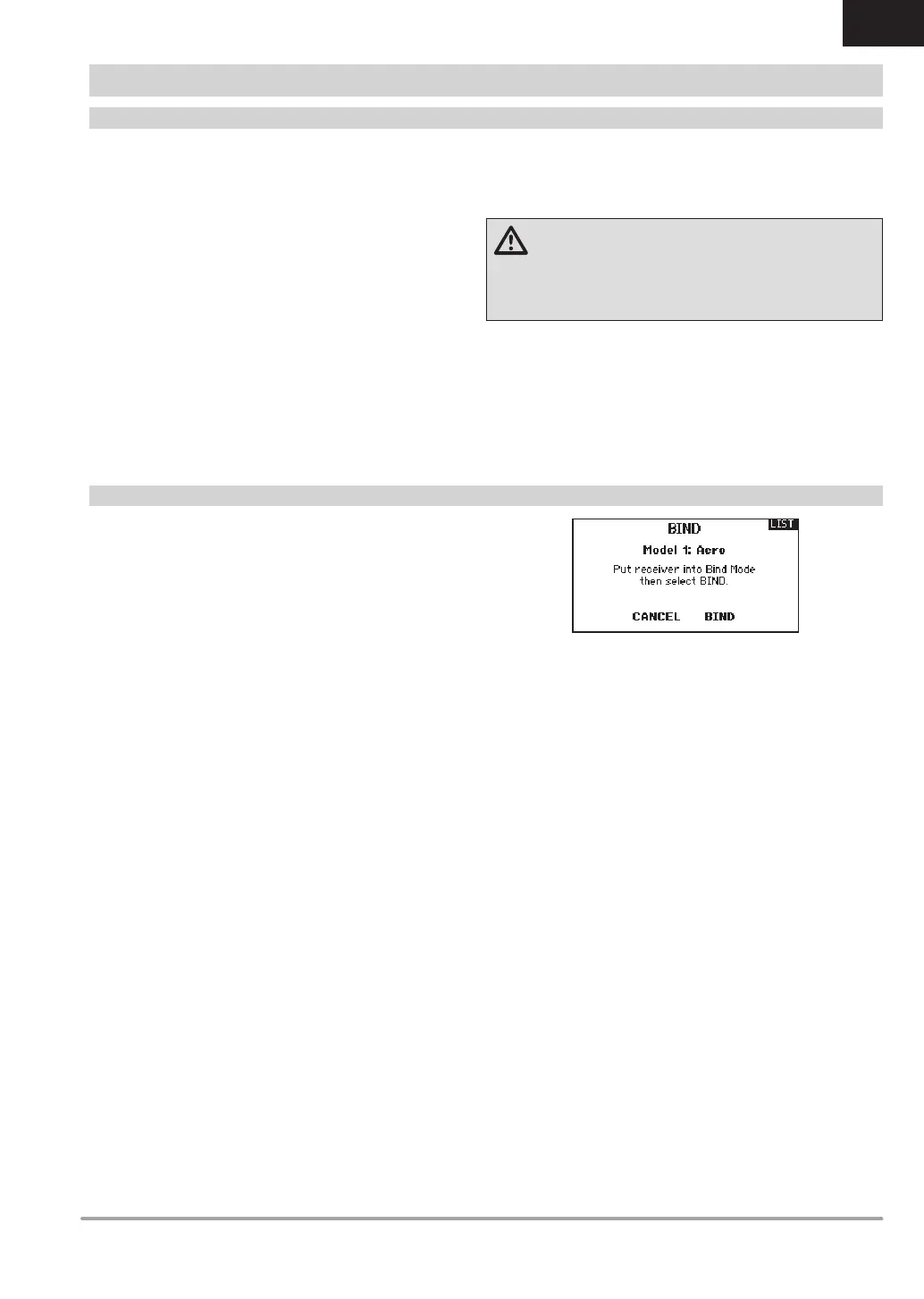
Bind
The Bind menu enables you to bind a transmitter and receiver
without powering off the transmitter. This menu is helpful if you
are programming a model and need to bind the receiver for
failsafe positions.
See “Programming Failsafe Positions” for more information.
SYSTEM SETUP


 To Next Page