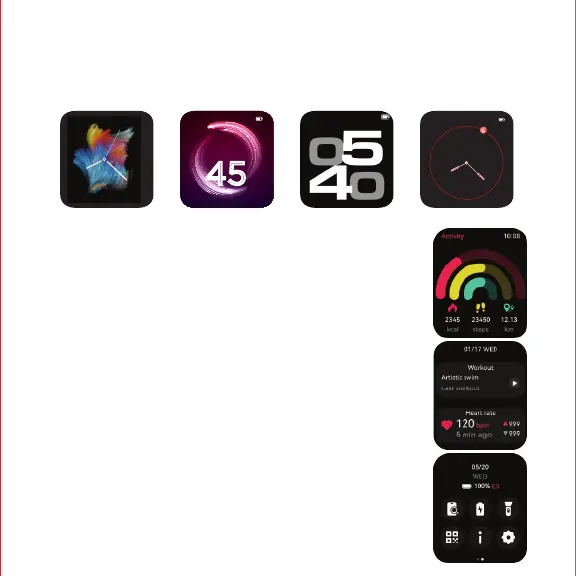
SWIPE DOWN FOR SHORTCUT MENU
You can access sports menu, brightness, DND, Find my
phone, Music control, QR code, about and settings from
the shortcut menu.
Using the watch Storm Call
Swipe left on the main interface of your watch screen to enter the main menu → Scroll
down → Select ‘watch faces’ → Tap on your preferred display
SWIPE RIGHT TO ACCESS ALL DATA
You can access daily activity and sports records,
heart rate monitor, sleep monitor, weather, music
control from here.
Access exercise data, customize activities, monitor
sleep, control music, and view real-time weather
enhancing your lifestyle and daily convenience.
SWIPE LEFT TO ACCESS ALL DATA
FRI20
FRIDAY 20
05
FRI 20



 To Next Page