Sports mode
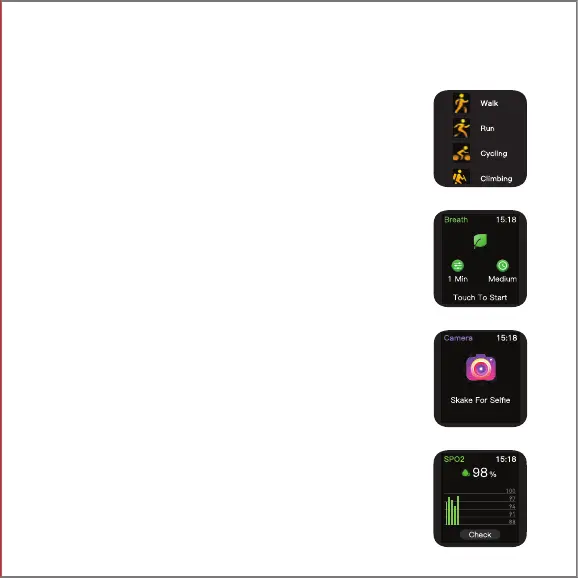
Click on the sports mode icon to choose from 10 different
sports modes: Walking, Running, Cycling, Climbing, Yoga,
Basketball, Football, Badminton, Skipping & Swimming
To pause or stop the exercise, press the home button, click
finish to end the exercise.
SWIPE LEFT FOR MAIN MENU
Notes:
*All records will be available on the app if you keep it
synchronized.
*The touch screen will not function when exposed to water.
When your watch does get wet, wipe the surface with a soft
cloth before using it.
Make sure maximum depth of water is 1.5 m & maximum
time for exposure to water is 10 minutes
Guided Breathing Mode
Click on the breath training icon to regulate your breathing
with the instructions given to relax.
Camera Control Mode
Click on the remote camera icon on your watch Wave Call to
click a photo from your phone.
Notes:
Turn the camera on from your phone to use this feature.
Blood Oxygen Level Monitor
Wear the watch on your wrist, then click on the icon to start
measurements. You can also view the data on the app.
Notes:
Measurements are for reference only and not for medical
purposes.


 To Next Page