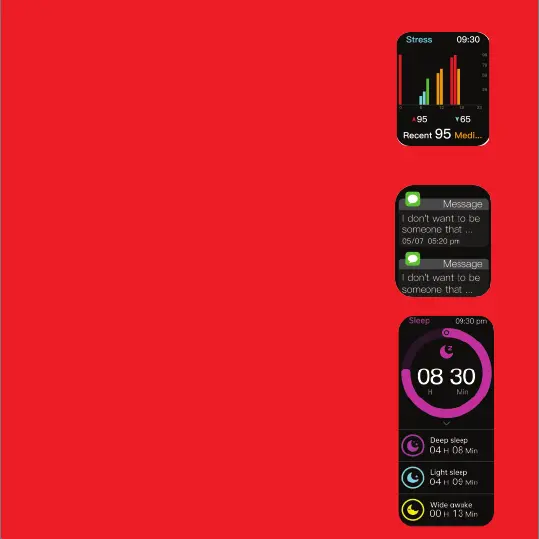
Notifications
Click on this to check your notifications
Stress monitoring
Click this option to start the stress monitoring. Make sure
you wear your watch on your wrist properly to get the
accurate results.
Analysis of the measurement is
Relax: 1-29
Normal: 30-59
Medium: 60-79
High: 80-100
Note: Measurements are for reference only and not for
medical purposes.
Sleep Monitor
Tap on the icon to review the sleep data of the previous night.
Once the asleep criteria are met, your smartwatch will start
recording from 8 pm at night to
10 am in the morning the next day.
Once you lie down and watch detects no movement for 30
minutes, it will start recording, and
will stop recording if it detects excessive movement.
You can check the data on the app only after the awake criteria is
met.
You can also track sleep scores on the boAt Wearables app.
Note:
*For accurate sleep data recording, the asleep criteria have to be
met which includes limited
movement, wrist positions and angles, and more.
*The awake criteria will be met only after it records some
noticeable movement


 To Next Page