EasyManua.ls Logo

Boavision HD22M102M - User Manual

Boavision HD22M102M
34 pages
Print Icon
To Next Page IconTo Next Page
Loading...
User Guide
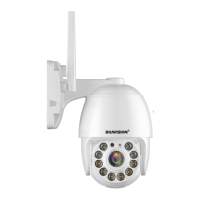
Wireless Pan/Tilt Home Security
HD22M102M
(V2.3)
Question and Answer IconNeed help?

Do you have a question about the Boavision HD22M102M and is the answer not in the manual?

Summary

Declaration

Conventions

Describes formatting conventions used in the guide, like color coding and notes.

Introduction

Product Detail

Insert Micro SD Card

Set Up Your Camera

Add Camera

Format Micro SD Card

Wall Mount

Intelligent Tracking

Motion Detection and Push Alert Message

Actions When Detect a Motion

Save Motion Videos to micro SD Card

Instructions on enabling "Alarm recording to SD card" for saving motion videos.

Sound Warning

Instructions on enabling the device siren when motion is detected.

Email Alert (Gmail setting reference)

Playback and Download Videos From Micro SD Card

Upload Pictures and Videos to FTP Server

Download Video

Device Information

How to Use Two-way Talk Function

IR LED Night Vision and Floodlight

Ordinary Mode

IR LED works automatically in low light, image is black/white, Floodlight off.

Color Mode

IR LED off, Floodlight on at night, image is color.

Intelligent Mode

IR LED works at night, motion triggers Floodlight for 30s, then reverts to IR LED.

Share The Camera With Your Family

Camera Works On Other Devices

ONVIF & RTSP

How to Reset The Camera

Connect to Blue Iris

Connect to Synology

Connect to QNAP

Connect to iSpy

Warranty & Support

Trouble Shooting

Boavision HD22M102M Specifications

General IconGeneral
BrandBoavision
ModelHD22M102M
CategorySecurity Camera
LanguageEnglish

Related product manuals