39 S130 Operation & Maintenance Manual
INSTRUMENT PANEL IDENTIFICATION (CONT’D)
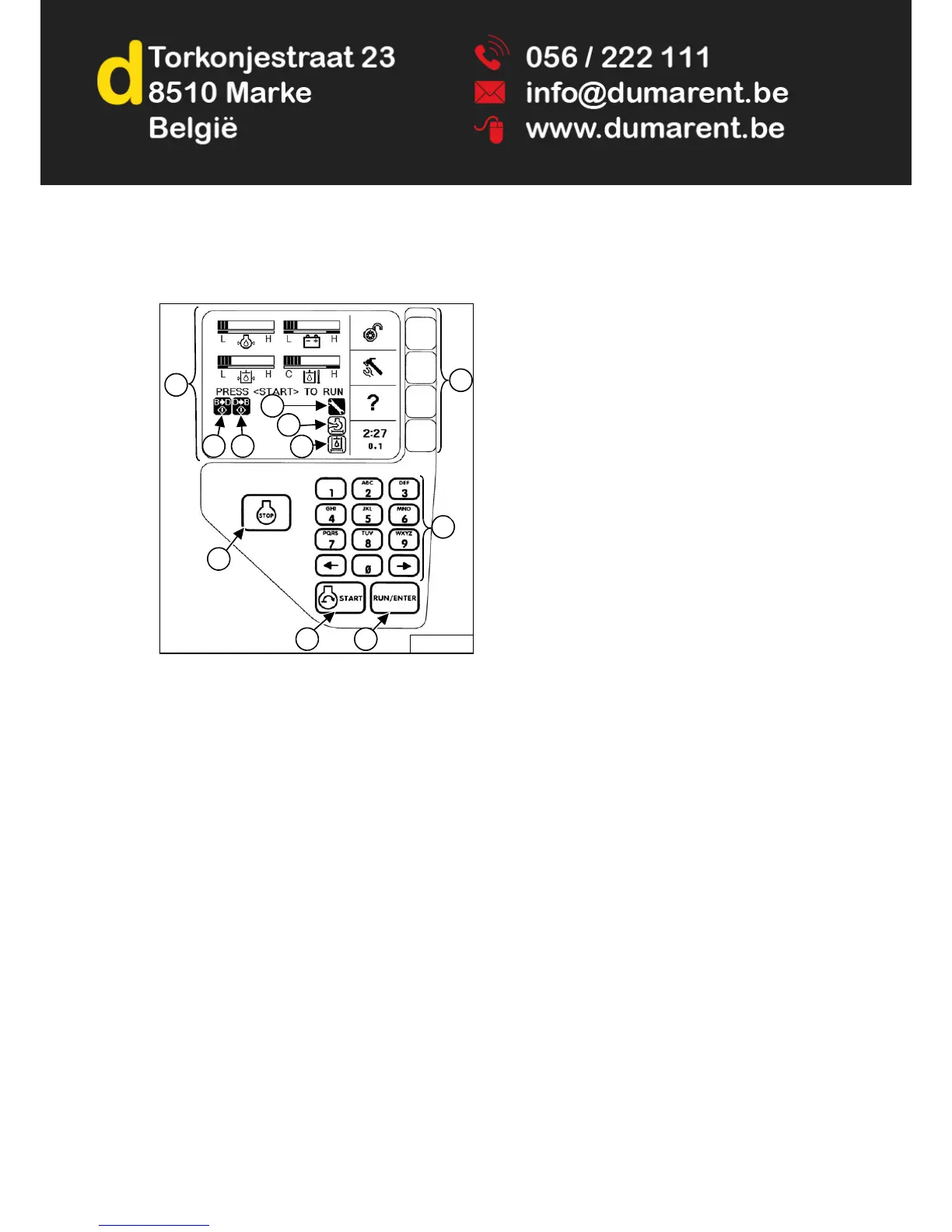
Deluxe Instrumentation Panel
Figure 13
This machine can be equipped with a Deluxe
Instrumentation Panel [Figure 13].
1. Display Screen: The Display Screen is where all
system setup, monitoring, troubleshooting and error
conditions are displayed.
2. Bobcat Main Controller Error: Indicates
communication error between Bobcat Main Controller
and Deluxe Instrumentation Panel. (See
DIAGNOSTIC SERVICE CODES on Page 155.)
3. Display Error: Indicates communication error
between instrument panel and Bobcat controller.
(See DIAGNOSTIC SERVICE CODES on Page 155.)
4. BobCARE PM
SM
Icon: Indicates planned
maintenance is due.
5. Engine Air Filter Icon: Indicates engine air filter
requires service.
6. Hydraulic Filter Icon: Indicates hydraulic filter
requires service.
7. Selection Buttons: The four Selection Buttons allow
you to select items from the Display Screen and scroll
through screens.
8. Stop Button: Used to stop the engine and shut down
the loader electrical system.
9. Keypad: The numeric keypad has two functions:
- To enter a number code (password) to allow starting
the engine.
- To enter a number as directed for further use of the
Display Screen.
10. Start Button: Used to start the engine.
11. Run / Enter Button: Used to turn on the loader
electrical system.


 To Next Page
 Loading...