41 S130 Operation & Maintenance Manual
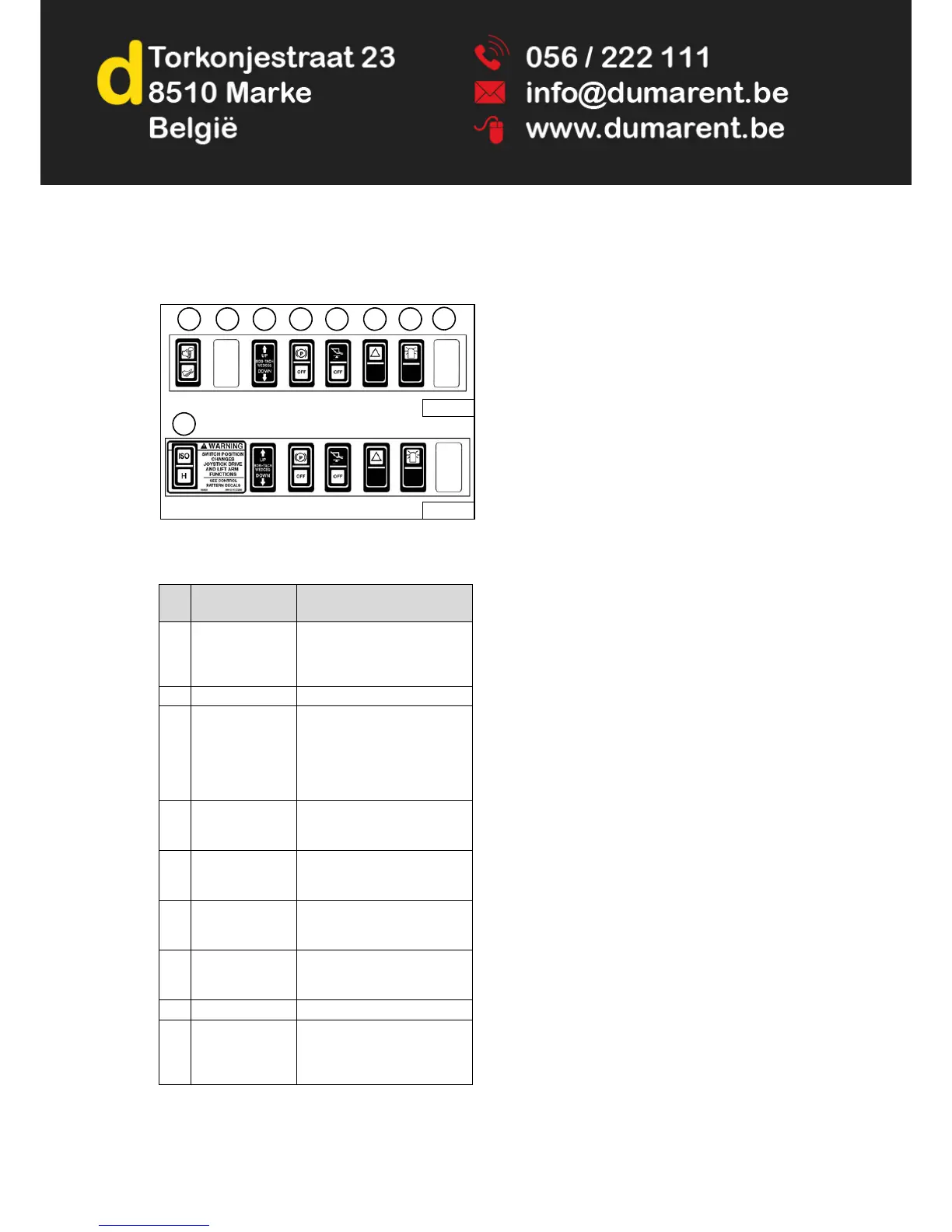
INSTRUMENT PANEL IDENTIFICATION (CONT’D)
Front Panel
Figure 16
NOTE: Parking Brake (Item 4) [Figure 16] is standard
on all loaders.
REF.
NO.
DESCRIPTION FUNCTION / OPERATION
1 ADVANCED
CONTROL
SYSTEM (ACS)
(Option)
Press the top to select Hand
Controls; bottom to select Foot
Controls.
2 NOT USED - - -
3 POWER
BOB-TACH
(Option)
Press and hold the up arrow to
disengage the Bob-Tach
wedges. Press and hold the
down arrow to engage the
wedges into the mounting
frame holes.
4 PARKING BRAKE
(Standard on all
loaders)
Press the top to engage the
PARKING BRAKE; bottom to
disengage.
5 HYDRAULIC
BUCKET
POSITIONING
Press the top to engage
Hydraulic Bucket Positioning;
bottom to disengage.
6 HAZARD LIGHTS
(Option)
Press the top to turn the
HAZARD LIGHTS ON; bottom
to turn OFF.
7 ROTATING
BEACON (Option)
Press the top to turn the
ROTATING BEACON ON;
bottom to turn OFF.
8 NOT USED - - -
9 SELECTABLE
JOYSTICK
CONTROLS
(SJC) (Option)
Press the top to select ‘ISO’
Control Pattern; bottom to
select ‘H’ Control Pattern.


 To Next Page
 Loading...