65 S130 Operation & Maintenance Manual
HYDRAULIC CONTROLS (CONT’D)
FRONT Auxiliary Hydraulics Operation
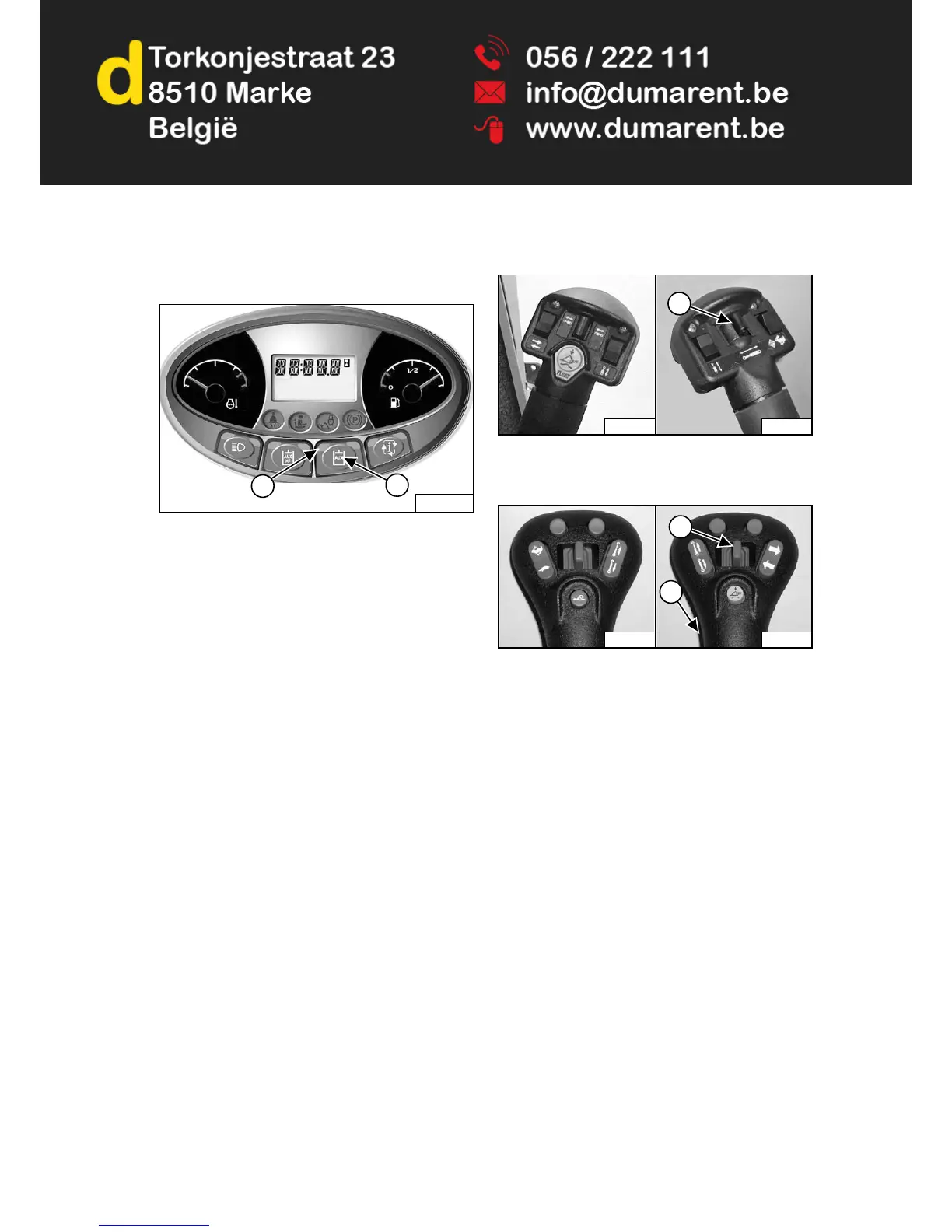
Figure 60
Press the auxiliary hydraulics button (Item 1) [Figure 60]
once to engage auxiliary hydraulics.
The light (Item 2) [Figure 60] will be ON.
Standard, ACS and AHC (If Equipped)
Figure 61
SJC (If Equipped)
Figure 62
Move the front auxiliary hydraulic switch (Item 1) [Figure
61] or [Figure 62] to the right or left to change the fluid
flow direction of the front quick couplers. If you move the
switch half-way, the auxiliary functions move at
approximately one-half speed; release the switch to stop
auxiliary functions. (EXAMPLE: Open and close grapple
teeth.)
To disengage, press the auxiliary hydraulics button
(Item1) [Figure 60] again.
The light (Item 2) [Figure 60] will be OFF.
NOTE: When the operator is seated and raises the
seat bar, the Auxiliary Hydraulic System
(Front and Rear) will deactivate.


 To Next Page
 Loading...