S250 Bobcat Loader
OI-10 Operation & Maintenance Manual
INSTRUMENT PANEL IDENTIFICATION (CONT’D)
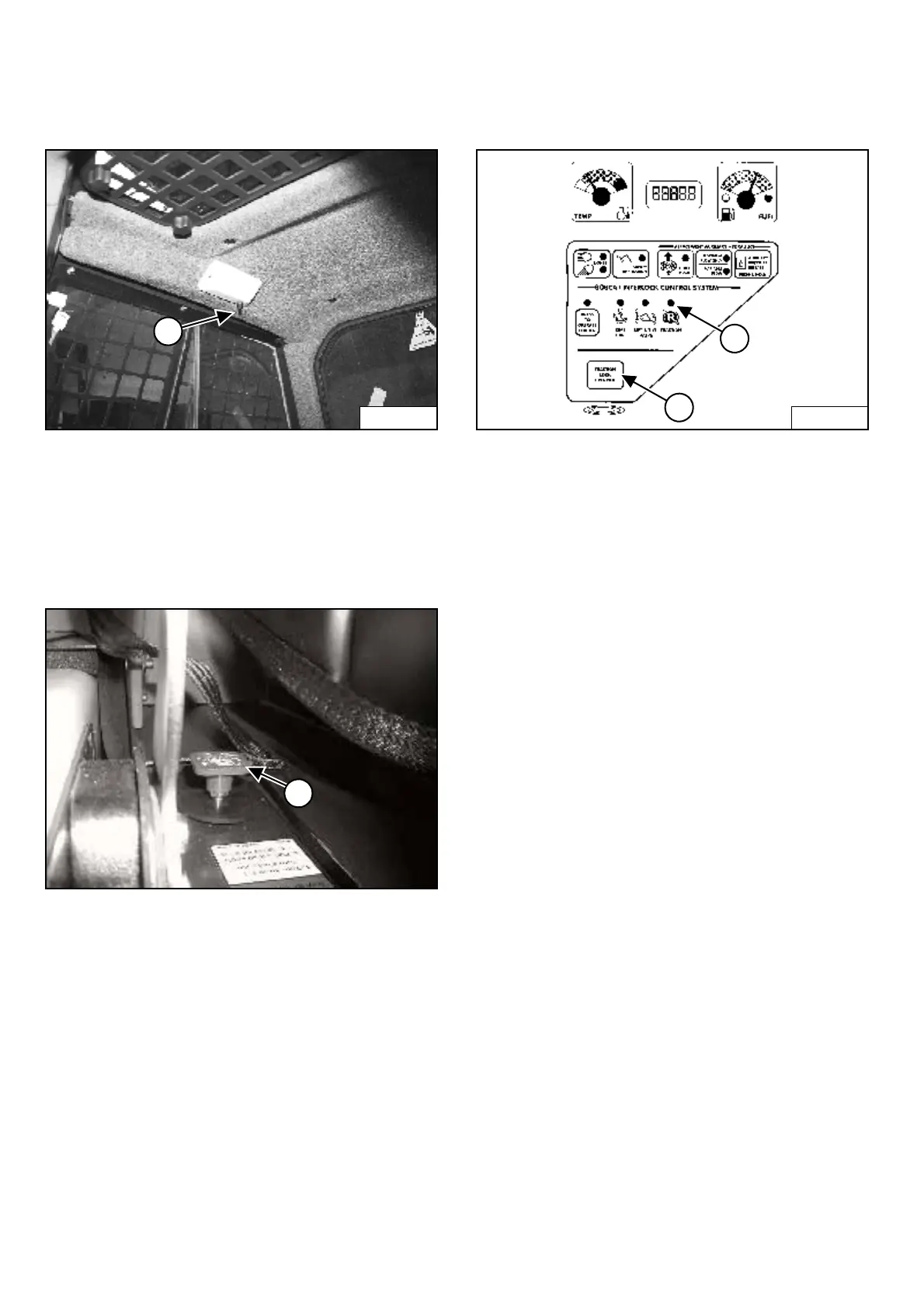
Cab Light
Figure OI-8
Push the button (Item 1) [Figure OI-8] to turn the light
ON. Push the button again to turn OFF.
LIFT ARM BY-PASS CONTROL
Operation
Figure OI-9
The lift arm by-pass control (Item 1) [Figure OI-9] is used
to lower the lift arms if the lift arms cannot be lowered
during normal operations.
• Sit in the operator’s seat.
• Fasten the seat belt and lower the seat bar.
• Turn the knob (Item 1) [Figure OI-9] clockwise 1/4
turn.
• Pull up and hold the knob until the lift arms slowly
lower.
TRACTION LOCK OVERRIDE
Operation
Figure OI-10
(Functions Only When The Seat Bar Is Raised And The
Engine Is Running) There is a TRACTION LOCK
OVERRIDE Button (Item 1) [Figure OI-10] on the left
instrument panel which will allow you to use the steering
levers to move the loader forward and backward when
using the backhoe attachment or for loader service.
• Press the TRACTION LOCK OVERRIDE button once
to unlock traction lock drive. The TRACTION
light (Item 2) [Figure OI-10] will be ON.
• Press the button a second time to lock the traction
drive. The TRACTION light (Item 2) [Figure OI-10]
will be OFF.
N-22015
1
P-31863
1
B-15551
2
1



 To Next Page
 Loading...