S250 Bobcat Loader
OI-12 Operation & Maintenance Manual
DRIVING AND STEERING THE LOADER
Available Controls Configurations
The loader has three configurations available:
• Standard Controls - Two Steering Levers control
drive and steering functions.
• Advanced Control System (ACS) (Option or Field
Accessory) - Two Steering Levers control drive and
steering functions.
• Selectable Joystick Controls (SJC) (Option) -
(‘ISO’ Pattern) Left joystick controls the drive and
steering functions.
(‘H’ Pattern) Left and right joysticks control left and
right side drive and steering functions.
Operation (Standard and ACS)
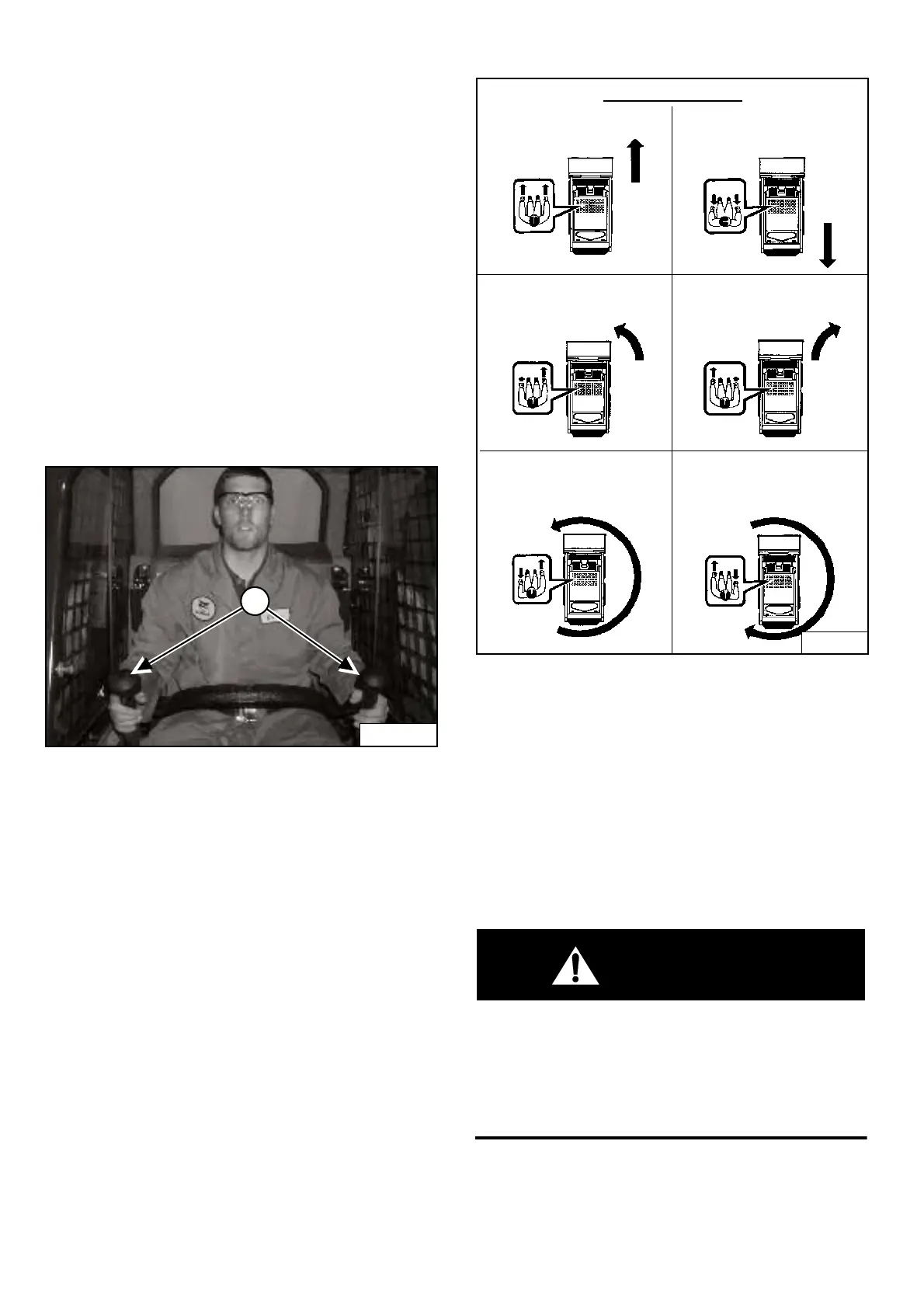
Figure OI-14
The steering levers (Item 1) [Figure OI-14] are on the left
and right side in front of the seat.
Move the levers smoothly. Avoid sudden starting and
stopping.
Figure OI-15
The steering levers control forward and reverse travel and
turning the loader [Figure OI-15].
Forward Travel - Push both levers forward.
Reverse Travel - Pull both levers backward.
Normal Turning - Move one lever farther forward than
the other.
Fast Turning - Push one lever forward and pull the other
lever backward.
WARNING
AVOID INJURY OR DEATH
When operating the machine:
• Keep the seat belt fastened snugly.
• The seat bar must be lowered.
• Keep your feet on the pedal controls or footrests
and hands on steering levers.
W-2261-0799
P-45122
1
PI-1849A
Standard and ACS
REVERSEFORWARD
RIGHT TURNLEFT TURN
RIGHT
FAST TURN
LEFT
FAST TURN



 To Next Page
 Loading...