79 S650 Operation & Maintenance Manual
HYDRAULIC CONTROLS (CONT’D)
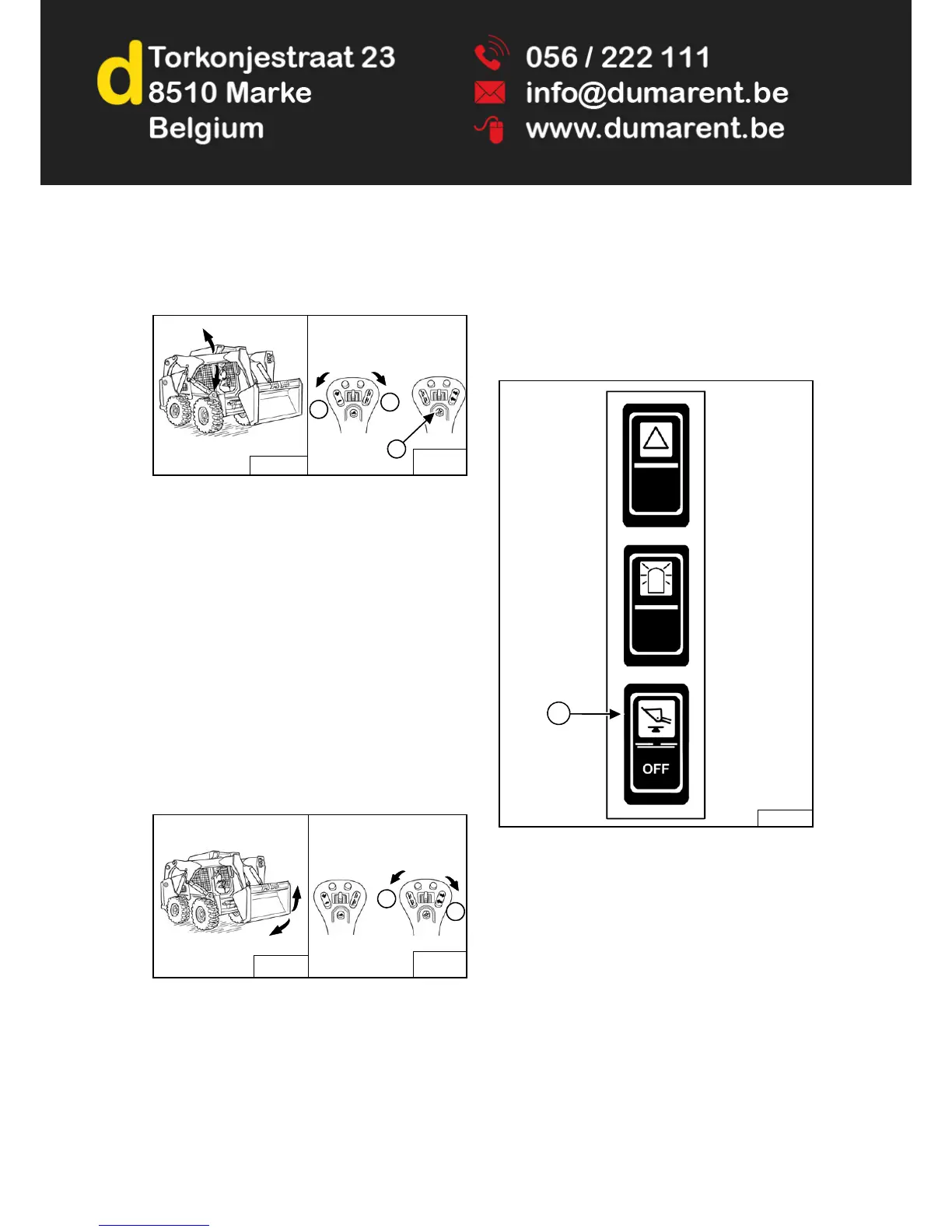
Selectable Joystick Controls (SJC) In ‘H’ Control
Pattern
Figure 76
Lift Arm Operation - (Left Hand Joystick)
Move the joystick outward (Item 1) [Figure 76] to
raise the lift arms.
Move the joystick inward (Item 2) [Figure 76] to lower
the lift arms.
Lift Arm Float Position - (Left And Right Hand Joysticks)
Press and hold the Float button (Item 3) [Figure 76]
while the joysticks are in neutral. Move the left joystick
to lift arm down position (Item 2) [Figure 76], then
release the button.
Press Float button (Item 3) [Figure 76] again or move
the left joystick to lift arm up position to disengage.
Use the float position of the lift arms to level loose
material while driving backward.
Figure 77
Tilt Operation - (Right Hand Joystick)
Move the joystick inward (Item 1) [Figure 77] to tilt
the bucket backward.
Move the joystick outward (Item 2) [Figure 77] to tilt
the bucket forward.
Hydraulic Bucket Positioning
This machine may be equipped with Hydraulic Bucket
Positioning.
The function of hydraulic bucket positioning is to keep the
bucket at the same approximate angle as the lift arms are
raised.
Figure 78
Press the top of the BUCKET POSITIONING switch (Item
1) [Figure 78] on the left switch panel to engage the
bucket positioning function. The amber light in the switch
will turn on. Press the bottom of the switch to disengage.
The amber light will turn off.
Bucket positioning functions only during upward lift cycle.
NA1681
B-19873
B-19874
1
2
3
Right
Joystick
Left
Joystick
NA1681
B-19873
B-19874
2
1
Left
Joystick
Right
Joystick
P-85319
1


 To Next Page
 Loading...