41 T870 Operation & Maintenance Manual
INSTRUMENT PANEL IDENTIFICATION (CONT’D)
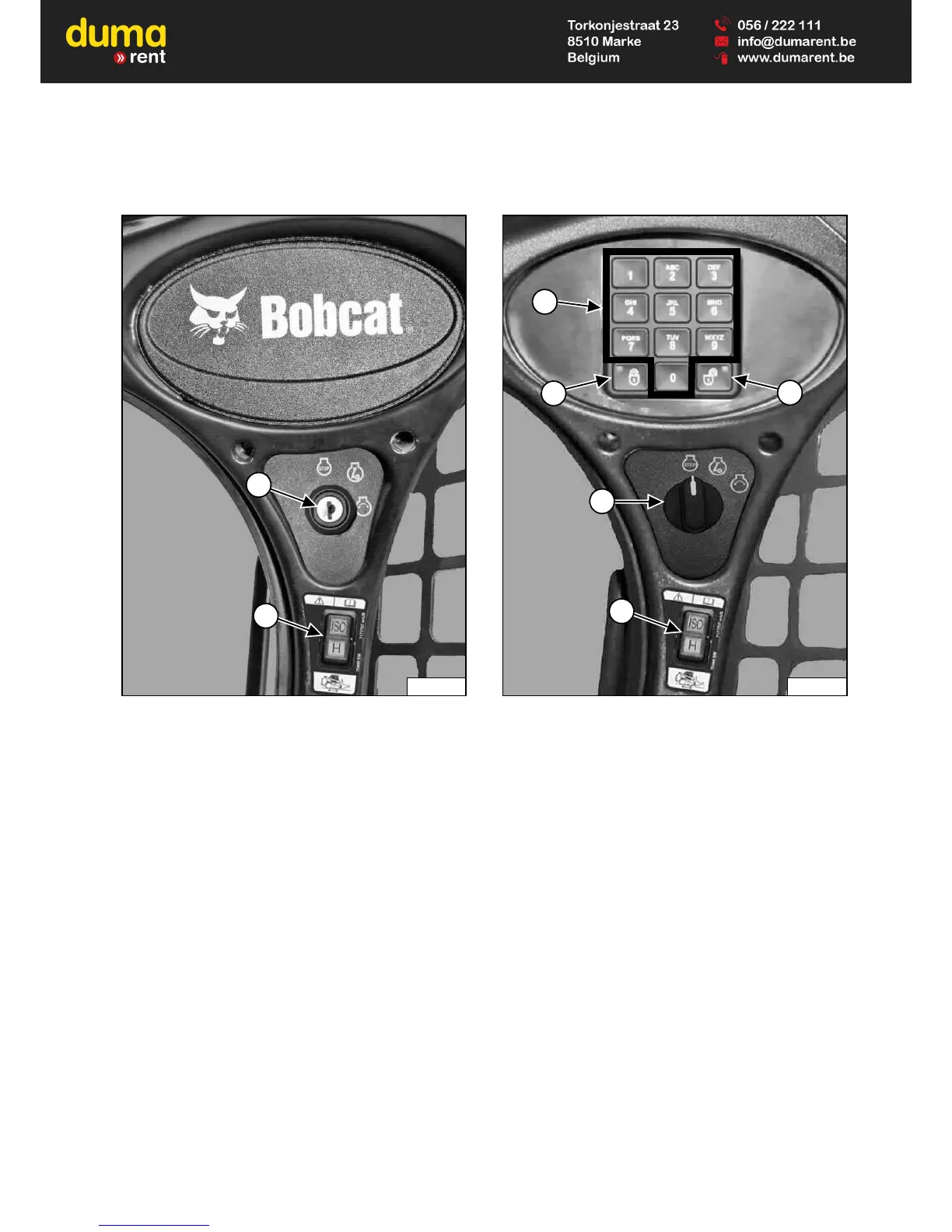
Right Panel (Standard Key Panel)
Figure 13
This machine may be equipped with a Standard Key
Panel
[Figure 13].
1. Key Switch: Used to turn the loaders electrical
system on and off, and to start and stop the engine.
2. Selectable Joystick Controls (SJC) Control
Pattern Switch: Press the top to select ‘ISO’ Control
Pattern; bottom to select ‘H’ Control Pattern.
Right Panel (Keyless Start Panel)
Figure 14
This machine may be equipped with a Keyless Start
Panel
[Figure 14].
1. Keypad (keys 1 through 0): Used to enter a number
code (password) to allow starting the engine. An
asterisk will show in the left panel display screen for
each key press.
2. LOCK Key: Used to lock keypad. The lock key will
display a red light to indicate a password is required
to start the loader. (See Password Lockout Feature
on Page 208.)
3. UNLOCK Key: Used to unlock keypad. The unlock
key will display a green light to indicate the loader can
be started without a password. (See Password
Lockout Feature on Page 208.)
4. Key Switch: Used to turn the loaders electrical
system on and off, and to start and stop the engine.
5. Selectable Joystick Controls (SJC) Control
Pattern Switch: Press the top to select ‘ISO’ Control
Pattern; bottom to select ‘H’ Control Pattern.



 To Next Page