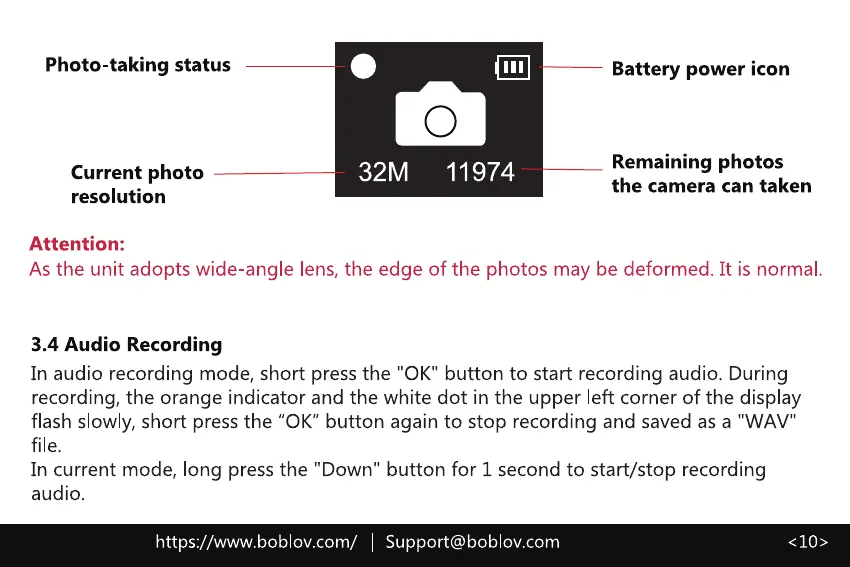
Photo-taking status
Current photo
resolution
Attention:
o
32M 11974
Battery power icon
Remaining photos
the camera can taken
As the unit adopts wide-angle lens, the edge of the photos may be deformed. It is normal.
3.4 Audio Recording
In audio recording mode, short press the "0K" button to start recording audio. During
recording, the orange indicator and the white dot in the upper left corner of the display
flash slowly, short press the "0K" button again to stop recording and saved as a "WAV"
In current mode, long press the "Down" button for 1 second to start/stop recording
audio.
https://www.boblov.com/ I
Support@boblov.com
< 10 >



 To Next Page