C.It might cause camera reset/slow charging/adapter hot/or even damage camera if not
used the original included power cord when charging.
3.2 Video Recording
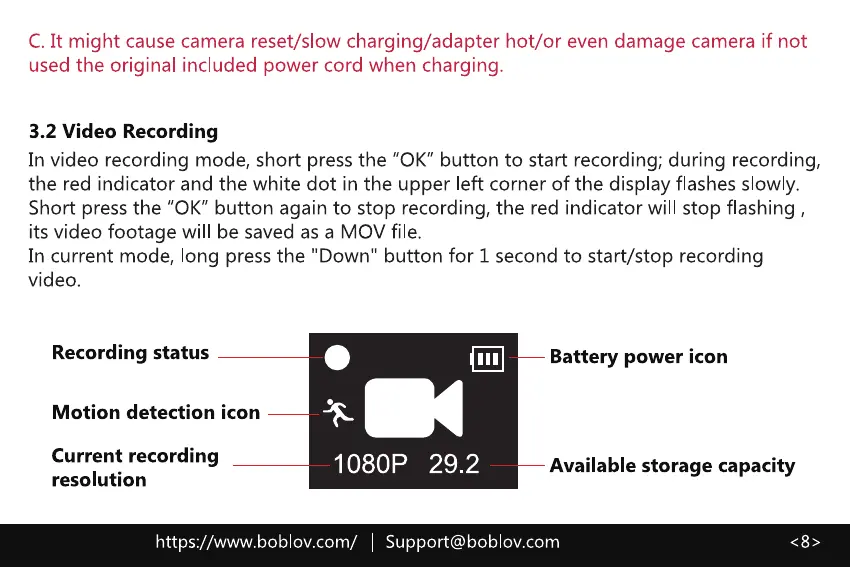
In video recording mode, short press the "0K" button to start recording; during recording,
the red indicator and the white dot in the upper left corner of the display flashes slowly.
Short press the "0K" button again to stop recording, the red indicator will stop flashing ,
its video footage will be saved as a MOV file.
In current mode, long press the "Down" button for 1 second to start/stop recording
video.
Recording status
Motion detection icon
Current recording
resolution
-1080P 29.2
Battery power icon
Available storage capacity
https://www.boblov.com/ I Support@boblov.com



 To Next Page